Is a Walking Pad and Standing Desk Worth It?

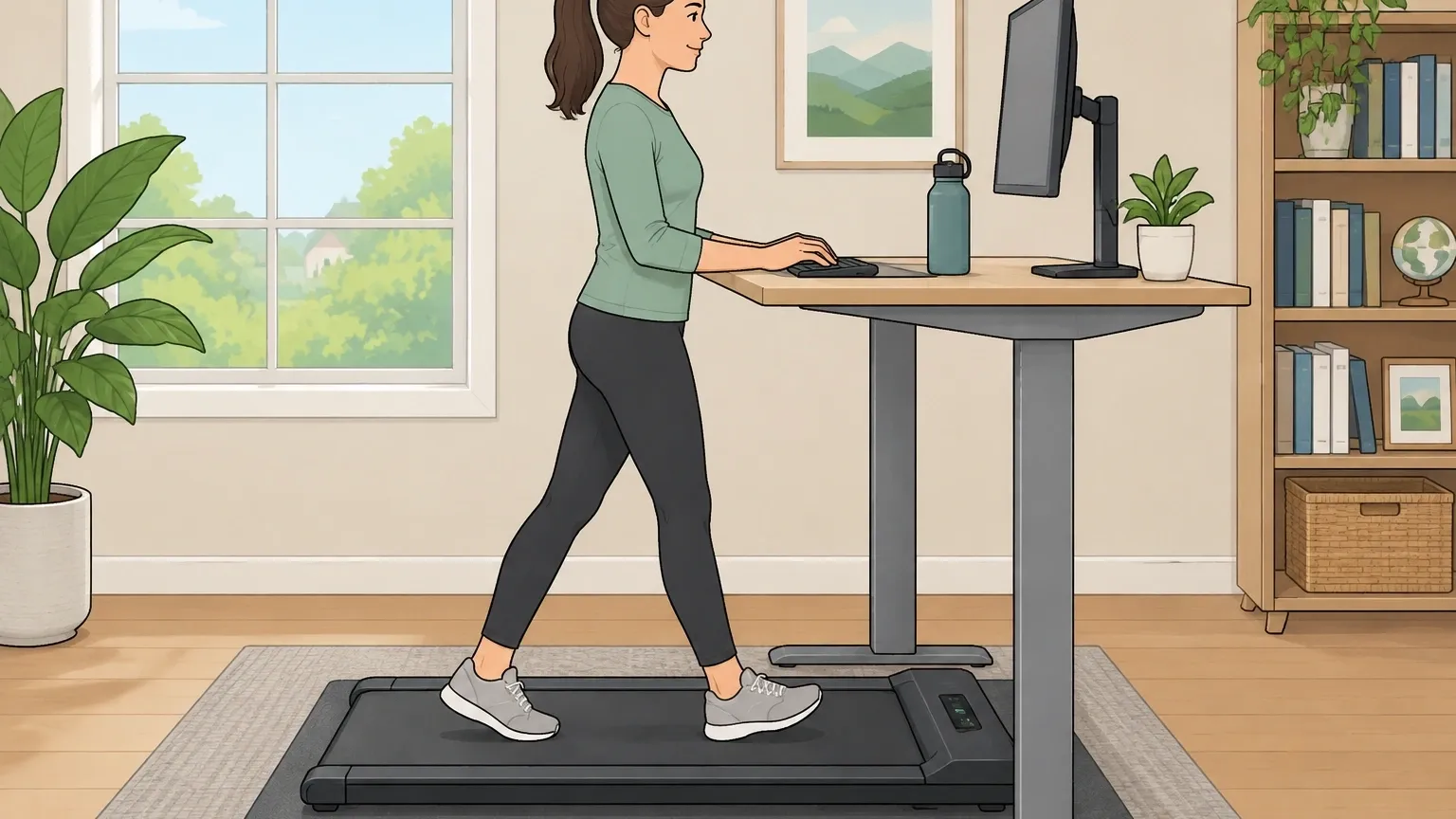
For most people who spend hours at a desk, the combination is worth it — but only under the right conditions.
A walking pad paired with a standing desk can help you burn extra calories, improve circulation, and break up sedentary time. However, it is not a magic bullet.
You cannot walk all day without consequences.
The key is using it in short sessions of one to two hours, matching your activity to the type of work you are doing, and choosing equipment that fits your space and habits.
If you plan to use it for light typing, phone calls, or reading, it is a solid investment.
If you need to do precision work, write complex code, or work in a shared quiet environment, the walking pad may become a distraction rather than a help.
Here is everything you need to know to make the right call.
The Real Benefits – Beyond the Marketing
The main reason people buy a walking pad is to move more without leaving their desk. But the benefits go deeper than just step count.
Quantified Health Gains
Walking at a slow pace of 2 miles per hour burns roughly 100 to 150 calories per hour for a 150‑pound person.
Over a two‑hour walking session, that adds up to 200 to 300 calories — the equivalent of a light snack or a short jog.
More importantly, it keeps your legs active, which helps blood circulation and reduces the risk of blood clots from prolonged sitting. Standing alone already engages your leg muscles more than sitting.
Adding walking takes that engagement further, strengthening your calves, hamstrings, and glutes over time.
Many users report less lower‑back pain after switching to a walking‑standing routine because the gentle movement prevents the stiffness that comes from holding one position for hours.
Productivity Boost – When It Works
Walking can improve focus for certain mental tasks.
The rhythmic motion and mild physical effort increase blood flow to the brain, which can help with brainstorming, creative thinking, and reading non‑technical material.
I found that during my first week, walking made it harder to concentrate on detailed editing. But after a few sessions, my brain adapted.
For simple emails or meeting notes, walking actually helped me stay alert and avoid the afternoon slump.
Psychological Upside
The biggest surprise for many is the mood lift. Walking while working breaks the monotony of sitting in a chair. It makes the workday feel less static.
Even a 30‑minute walk during a boring conference call can transform the experience from draining to energizing.
The Hidden Costs – What Nobody Tells You
Walking pads and standing desks come with real downsides that are rarely mentioned in product reviews. Knowing them upfront saves you from expensive mistakes.
Upfront and Ongoing Expenses
A decent walking pad costs between $300 and $800. A good standing desk adds another $300 to $1,000. On top of that, you will likely need:
- An anti‑fatigue mat to reduce joint stress (around $40 to $80).
- Supportive walking shoes — dress shoes, sandals, or barefoot walking will cause foot pain quickly.
- Floor protection if you have hardwood or laminate, because the walking pad can scratch or dent the floor over time.
Altogether, the true investment often exceeds $1,000. If you are on a tight budget, a cheaper walking pad may have a loud motor or short lifespan, which makes the whole experience frustrating.
Noise and Vibration
Even the quietest walking pads produce noise. The motor hums, the belt rubs, and your footsteps create a rhythmic thud. In a home office with a closed door, the noise is manageable.
But in an open‑plan apartment or shared room, it can disturb roommates, family members, or neighbors below.
I measured my walking pad at around 45 decibels during slow walking — about the level of a quiet conversation.
When I increased speed to 3 mph, it climbed to 52 dB, which is noticeable and can be distracting during calls or deep work. Vibration is another issue.
The walking pad transfers motion to the floor and then to your desk. If your standing desk is wobbly or lightweight, the screen may shake slightly.
A heavy, stable desk or a thick anti‑vibration mat underneath the pad helps.
Physical Fatigue and Overuse Risk
Walking for two hours may sound easy, but if you are not used to it, your feet, ankles, and knees will complain. Many first‑time users experience arch pain, shin splints, or knee soreness after a week.
The solution is to start with 20‑minute sessions and gradually increase. Even experienced walkers should limit daily walking to two hours total, split into shorter blocks.
Walking all day — eight hours — is not healthy. It leads to overuse injuries, joint inflammation, and a collapse in productivity as you become exhausted.
Desk and Space Requirements
You need enough clearance under your desk for the walking pad (usually 6 inches from the desktop to the floor) and enough length to walk comfortably.
A desk should be at least 48 inches wide and 24 inches deep to keep your keyboard and mouse within reach while walking.
If your current desk is fixed height, you cannot simply put a walking pad under a sitting desk — you must raise the desk to standing height with a converter or a new adjustable frame.
How Your Work Style Changes the Equation
A walking pad is not equally useful for every kind of job. Your specific tasks determine whether the setup will help or hinder you.
Typing and Coding
Learning to type while walking takes about two to three weeks of regular use. Accuracy drops 10 to 20 percent initially, then recovers.
Simple typing — emails, chat messages, short documents — works well at speeds under 2 mph. For complex coding or writing that requires precise keystrokes, walking can slow you down and increase errors.
I recommend saving walking sessions for less demanding typing tasks.
Phone and Video Calls
Walking makes your voice fluctuate slightly because your breathing changes.
Listeners on the other end may hear a subtle rhythmic breathing or footstep noise if the microphone picks up the pad’s vibration.
For video calls, you also appear bobbing up and down, which can be distracting to others. It is better to stand still or sit during calls that require clear, professional delivery.
Reading and Researching
Reading while walking can cause mild motion sickness in some people because your eyes are tracking a fixed screen while your body is moving.
This effect is less severe on a larger monitor than on a laptop. If you plan to read long articles or study complex materials, keep the speed low (under 1.5 mph) and take breaks.
Creative Brainstorming and Design
Creative work often benefits from mild physical activity. The flow of walking can help generate ideas. For designers, sketching or using a stylus while walking is possible but requires a steady hand.
Most designers find it easier to stand still or sit for detailed design work.
| Work Task | Recommended Walking Speed | Best Used For |
|---|---|---|
| Simple typing, emails | 2 mph or less | Longer sessions (1‑2 hours) |
| Complex typing, coding | 1 mph or none | Short bursts (30 min) |
| Phone/video calls | None (stand or sit) | Professional calls |
| Reading, research | 1‑1.5 mph | Up to 45 minutes |
| Creative brainstorming | 1.5‑2 mph | Idea generation |
| Precision design work | None (stand still) | Full focus |
Myths vs. Reality – What Science Says About Walking While Working
Myth: You can walk all day and lose a lot of weight.
Reality: Walking eight hours at 2 mph would burn roughly 1,500 calories — but no one can sustain that without injury, fatigue, and severe productivity loss.
Even if you could, your body would adapt, and the calorie burn would drop.
A realistic goal is 200 to 500 extra calories per day, which supports weight maintenance or slow loss, not dramatic transformation.
Myth: Any walking pad works with any standing desk.
Reality: Many walking pads are too thick to slide fully under a low‑profile standing desk. You need to measure the desk’s clearance height when fully raised.
Also, some desks are unstable when the walking pad is in use — the desk may rock or vibrate. A C‑frame or T‑frame desk with a heavy base works best.
Myth: Walking while working is just like standing – you never get tired.
Reality: Walking engages different muscles than standing. It uses your hip flexors, calves, and lower back differently.
After 45 minutes of walking, most people feel a distinct fatigue in their feet and legs that standing does not cause. You should not expect to walk all day without rest.
How to Choose Your Setup – A Practical Framework
If you decide the walking pad and standing desk are worth it for your situation, use this framework to pick the right products.
Step 1: Evaluate Your Walking Pad Specs
- Motor power: Look for at least 2.0 CHP (continuous horsepower) for reliable performance. Cheap motors wear out in a year.
- Noise rating: Below 40 dB is whisper‑quiet. 40‑45 dB is acceptable for a private home office. Above 45 dB will annoy others.
- Maximum speed: Stay at 4 mph or less. Faster is not useful and increases risk.
- Belt width and length: At least 16 inches wide and 40 inches long for comfortable strides.
- Foldability: If space is tight, a folding pad (like the WalkingPad Z1) halves its length for storage.
Step 2: Match the Desk
- Height range: The desk must go low enough so your elbows are at 90 degrees when walking, and high enough for comfortable standing. Typical range is 26 to 48 inches.
- Stability: A desk with a crossbar or reinforced frame reduces wobble. Avoid cheap single‑column desks.
- Cable management: Keep cables off the floor so they do not get caught in the walking pad.
Step 3: Consider Your Environment
- Flooring: Carpet absorbs noise but can trap heat under the pad. Hard floors amplify sound – use a mat.
- Room size: You need at least 6 feet of clear space behind and in front of the desk to move safely.
- Shared space: If you live with others, choose a pad with the lowest decibel rating and use it only during agreed quiet hours.
Frequently Asked Questions
Can I use a walking pad with a fixed‑height desk?
Yes, but only if the desk is already at standing height. If your fixed desk is at sitting height, you need a desktop riser or a separate converter to raise your work surface.
Using a walking pad under a sitting desk forces you to hunch, which defeats the purpose.
Do I need special shoes?
Yes. Supportive walking shoes with a low heel are essential. Barefoot walking on a belt can cause plantar fasciitis. Sandals or dress shoes lack grip and stability.
Buy a dedicated pair of walking shoes for your home office.
How much space do I actually need under my desk?
Minimum 48 inches of desk width, 24 inches of depth, and 6 inches of clearance between the floor and the bottom of the desk frame.
This gives you room to walk without hitting your knees or bumping into legs.
Does walking while working affect typing accuracy long‑term?
Most people adapt within two to three weeks. Accuracy returns to 90 percent or more of sedentary levels, especially for simple typing.
Complex code or high‑speed typing may always be slightly slower, but the difference is small enough that many users find it acceptable.
What is the typical lifespan of a walking pad?
Moderate use (one to two hours per day) gives a lifespan of two to four years. The belt may need replacement after 1,500 to 2,000 hours. Motors can last longer with regular lubrication.
More expensive models with sealed bearings last 50 percent longer than budget ones.