Why Does My Walking Pad Keep Stopping? (Causes & Fixes)

I remember the first time my walking pad stopped in the middle of a stride. I was two minutes into my afternoon walk, belt humming, and then it just died. No error code, no warning beep—nothing.
After an hour of poking and prodding, I found the problem: the pressure mat under the belt had shifted slightly, and my foot wasn't making contact with the sensor area.
That tiny misalignment caused the whole machine to think I wasn't there.
This guide walks you through every reason your walking pad keeps stopping, from trivial fixes to deeper issues.
I own three different models (WalkingPad P1, Sperax, and a generic brand), so I’ve seen most of these problems firsthand. Let’s get you back to walking.
The #1 Reason: Your Walking Pad’s Safety Sensor Isn’t Engaged
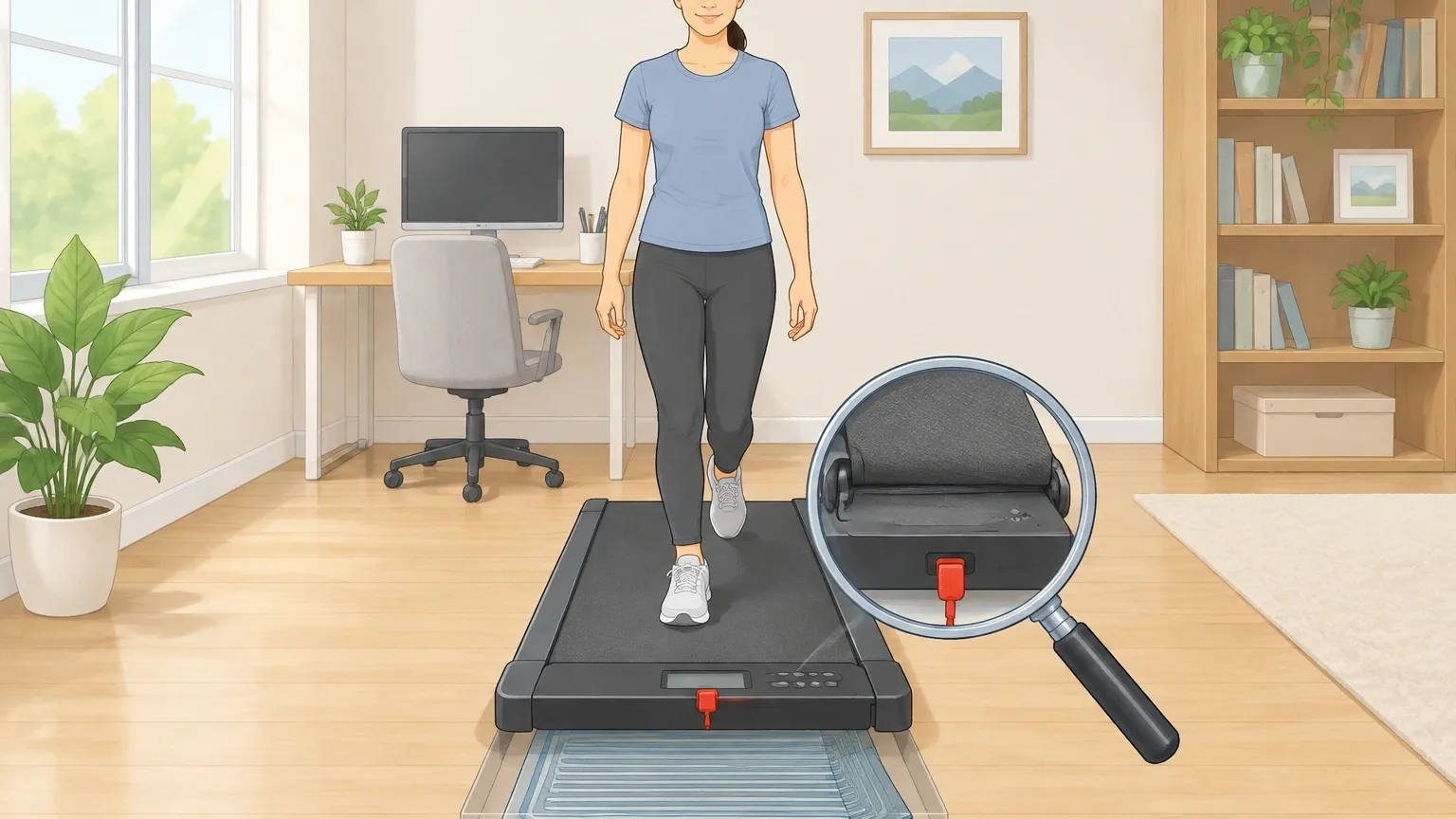
Walking pads use a different safety system than full-size treadmills. Most rely on a thin pressure mat that runs under the belt.
If you step on the edge of the belt, or if the mat is wrinkled or misaligned, the motor cuts power as a safety measure.
Some models also use a magnetic safety key that must be clipped to your clothing and inserted into the console.
How to test the pressure mat: Turn off the walking pad and unplug it. Press down firmly on the center of the belt with your hand. You should feel a slight give—that’s the sensor pad.
If the belt feels loose or you can’t feel any resistance, the mat might be bunched up or torn.
On my WalkingPad P1, I fixed a recurring stop issue by simply lifting the belt and smoothing the mat underneath.
For magnetic key models, make sure the key sits flush and isn’t loose. A partial connection can cause intermittent stops.
Quick Checks That Solve Most Problems
Before you start taking things apart, run through this checklist. These fixes solved three out of four stopping issues I’ve encountered.
- Power supply – Is the plug fully seated? Try a different outlet. Avoid extension cords if possible because voltage drops can trigger the motor’s overload protection.
- Safety key or clip – Ensure it’s inserted all the way. Some walking pads have a small nub that must depress a switch inside the console.
- Belt and deck – Lift the belt and look for debris, wrinkles, or foreign objects. Even a small coin can cause the belt to drag and trigger a stop.
- Remote battery – A weak remote can send ghost stop signals. Replace the battery and test again.
Why It Stops the Moment You Step On
If the walking pad turns on but dies as soon as you put weight on it, the cause is almost always one of three things.
| Symptom | Typical Cause | Fix |
|---|---|---|
| Motor shuts off instantly when you step on | Weight limit exceeded (most walking pads max out at 220–265 lbs) | Check the manual for your model’s weight capacity. If you’re close, the overload protection is doing its job. |
| Motor stops but restarts after a few seconds | Static electricity discharge (common on carpeted floors) | Place the walking pad on a rubber mat or anti‑static pad. |
| Motor stops only when you step on a certain spot | Pressure sensor misalignment or wear | Remove the belt and realign the sensor mat, or replace it if torn. |
When it’s motor overload vs. normal protection: Overload protection leaves the motor hot to the touch, and the unit won’t restart until it cools down (10–15 minutes).
Sensor‑based stops allow immediate restart because the motor isn’t hot. Use that simple test to tell them apart.
Why It Stops After a Few Minutes of Walking
This is the most frustrating pattern because you think everything is fine—and then it quits. Here are the usual suspects.
Motor thermal overload
Walking‑pad motors are smaller (1.0–2.0 horsepower) and generate heat quickly if you walk for more than 20–30 minutes or if the belt is too tight.
Check the belt tension: it should lift about 2–3 inches off the deck when you push down. If it’s tighter, loosen it. Also make sure ventilation slots on the side aren’t blocked by furniture or dust.
Belt friction
A dry belt creates resistance that heats up the motor. Most walking pads need silicone lubrication every 3–6 months.
If the belt feels sticky or makes a squeaking sound, apply lubricant under the belt while it’s moving slowly (follow the manual).
Auto‑off timer (the sneaky one)
Many walking pads have a built‑in safety timer that stops the belt if no speed change is detected for a set period—often 10 minutes. This is designed to prevent accidents if you step off.
But if you walk at a steady pace without adjusting speed, the timer kicks in. To fix it: change speed every few minutes using the remote, or look for a setting to disable the timer.
On my Sperax, holding the “+” button for 5 seconds turns the timer off. Check your manual for the exact method.
Advanced Diagnostics (If the Basics Don’t Work)
If none of the above helps, the problem is internal. Only try these steps if you’re comfortable with electronics.
- Firmware reset – Unplug the machine for a full 10 minutes. This clears glitchy memory chips on some models.
- Control board inspection – Remove the motor cover and look for burnt components, bulging capacitors, or loose wire connectors. A burned resistor can cause intermittent power loss.
- Motor brushes (brushed motors only) – If your walking pad has visible brush covers, check the carbon brushes. Worn brushes cause the motor to cut out under load. Replace them if they’re shorter than ¼ inch.
- Multimeter test – Check the voltage at the motor terminals when the belt is stopped. You should see the rated voltage (usually 110–120V). If it’s significantly lower, the control board or power supply is failing.
Understanding Your Walking Pad’s Safety Sensors (Deep Dive)
Because this is the most overlooked cause, here’s a fuller explanation of how the different sensors work.
Pressure mat: A thin grid of conductive material under the belt. When you step on the mat, it completes a circuit. If you step off the mat, the circuit breaks and the motor stops.
The mat can wear out over time, especially if you always walk in the same spot. Symptoms: the motor stops only when you shift your weight to one side, or when you take a longer stride.
Magnetic clip: A plastic key with a magnet that aligns with a hall‑effect sensor on the console. If the key falls off or the magnet weakens, the motor stops.
This is rare on newer walking pads but common on older models.
Infrared sensor: Some high‑end walking pads (like the WalkingPad A1 Pro) use an IR beam that detects movement over the belt.
If the beam is blocked by clothing or a pet, the motor stops. Keep the sensor window clean.
Frequently Asked Questions
Why does my walking pad beep before stopping?
That beep is usually an error code. One beep: pressure sensor issue. Two beeps: motor overload. Three beeps: safety key missing. Check your manual for your model’s code.
If the manual is lost, try a full power reset (unplug for 10 minutes) to clear the error.
Can I walk on my walking pad without the safety key?
Not recommended. The safety key is the primary way to stop the motor in an emergency. That said, some models let you bypass it by holding down the remote start button for 3 seconds.
But if you fall, the belt won’t stop—use the key.
Why does it stop only when I walk faster?
Higher speeds draw more current. This can reveal a weak power supply (voltage sag), a tight belt that overloads the motor, or a worn motor brush. Start by checking belt tension and outlet voltage.
Why does it stop after 30 seconds of walking?
That’s almost certainly the auto‑off timer. Many walking pads default to a 30‑second idle stop when no speed change is made.
Speed up or slow down for a second to reset the timer, or disable it in the settings.
Could my remote be causing random stops?
Yes. A low remote battery sends intermittent signals that can mimic a “stop” command. Replace the battery.
If the problem persists, walk with the remote away from the walking pad to see if interference from nearby electronics (WiFi routers, smart speakers) is the culprit.
Most walking‑pad stopping issues are simple to identify once you know what to look for.
Start with the pressure sensor, then move through the quick checks, and only open the electronics as a last resort.
If you’ve tried everything and the pad still stops, contact the manufacturer—the control board may need replacement. Otherwise, you’ll be back to walking in minutes.