Why Your Under-Desk Treadmill Shows E01 or E02 and How to Fix It in Minutes

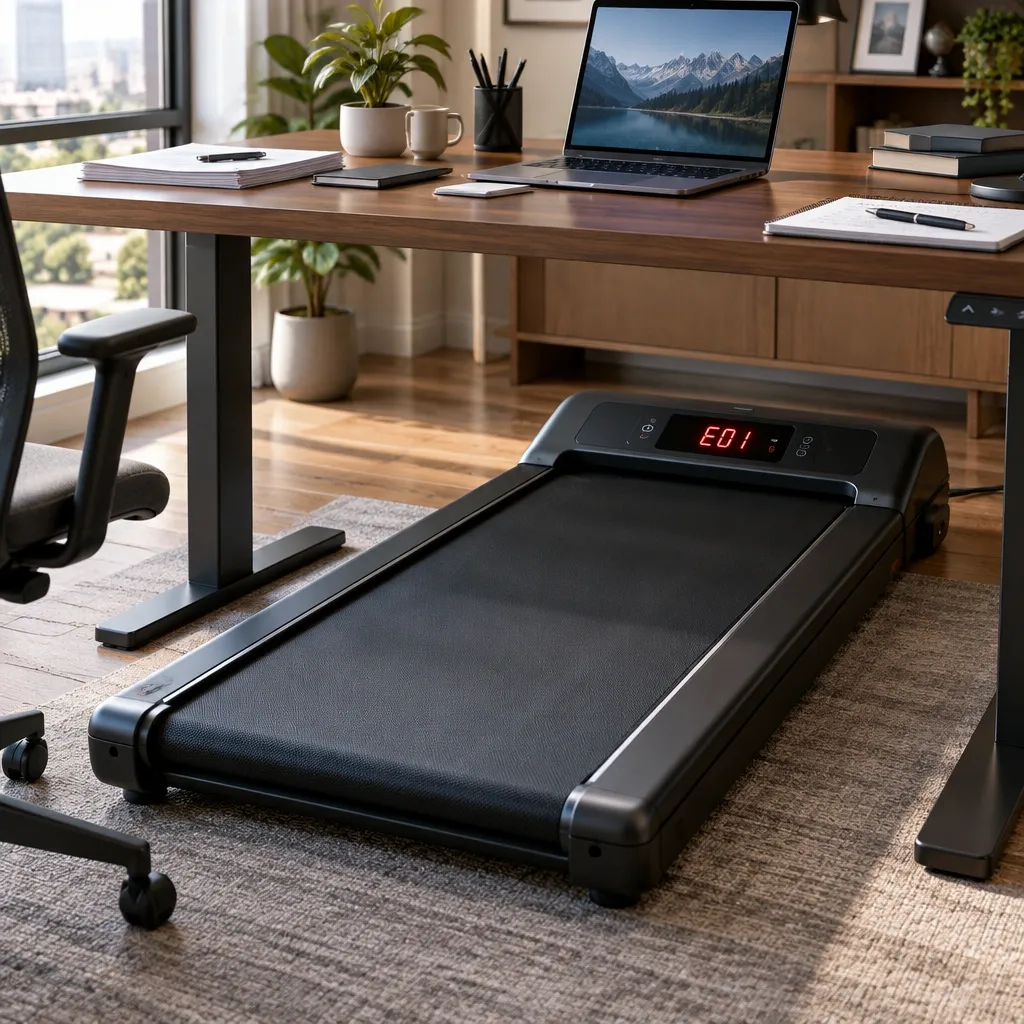
When your under-desk treadmill suddenly stops and flashes an error code, the first thought is usually "I bought a lemon." You were walking at a steady pace, answering emails, and then the belt locked up with a beep and a cryptic E01 or E02 on the display.
Take a breath. These codes are not random failures.
Every error code on an under-desk treadmill is a safety shutdown triggered by one of four root causes: power irregularity, motor overload, sensor miscommunication, or controller failure.
Your machine is not broken. It is protecting itself from something — and finding that something is usually simpler than it looks.
Learning how to troubleshoot standard under desk treadmill error codes like E01 and E02 is easier than most owners expect.
This guide walks you through the full reset protocol, every major code, and the fixes that actually work, whether you own a WalkingPad, UREVO, Redliro, Goplus, or any other common brand.
Here is the quick reference table. Keep it open while you work through the steps below.
| Code | Universal Meaning | Most Likely Fix |
|---|---|---|
| E01 | Communication or power interruption fault | Full reset + connection inspection |
| E02 | Voltage protection or IPM overheat | Cool down + clean controller vents |
| E03 | Motor or drive system fault | Check belt tension + manual spin test |
| E05 | Console-to-controller communication fault | Reseat the data cable |
| E06 | Motor current overload | Lubricate belt + check tension |
| E07 | Safety key or sensor malfunction | Check safety key magnet |
How Under-Desk Treadmill Error Systems Actually Work
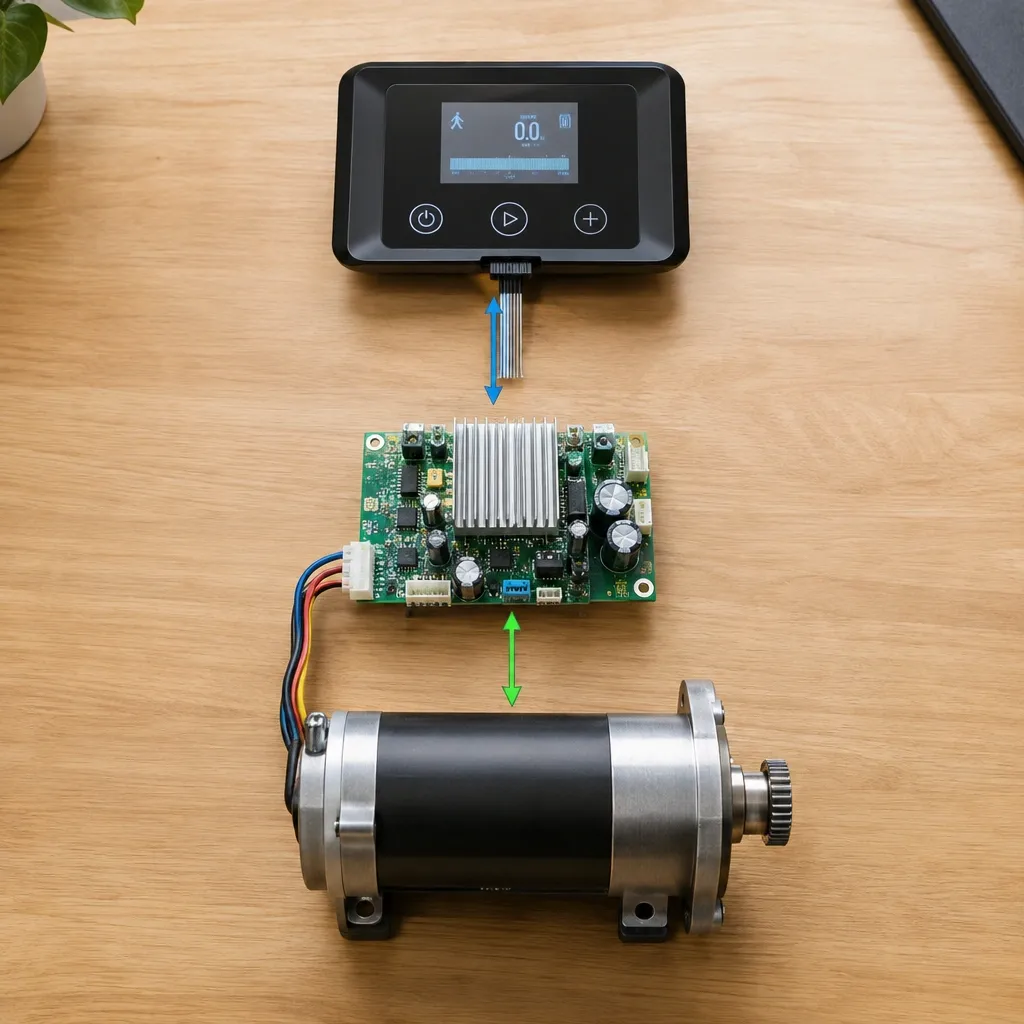
Under-desk treadmills are simpler than full-size treadmills, and that simplicity is why their error codes are so predictable.
Inside your machine there are three main parts that talk to each other: the console (the display with buttons), the motor controller (a circuit board that manages power to the motor), and the motor itself.
A few small sensors — a safety key magnet, a speed sensor, and sometimes an incline sensor — report back to the controller.
The console is essentially a remote control with a screen. It sends commands to the motor controller, and the motor controller does the heavy lifting.
When any of these parts stop communicating properly, or when voltage spikes or drops, the controller shuts everything down and shows a code.
Here is the part that surprises most people.
The controller chips inside most under-desk treadmills come from the same three or four manufacturers, regardless of which brand name is printed on the frame.
WalkingPad, UREVO, Redliro, Goplus, and others all use nearly identical fault-detection logic. The codes look different across brands, but the root causes are the same.
That is why a walking pad error code guide for one brand often fixes a machine from another brand.
The 4-Step Universal Reset Protocol
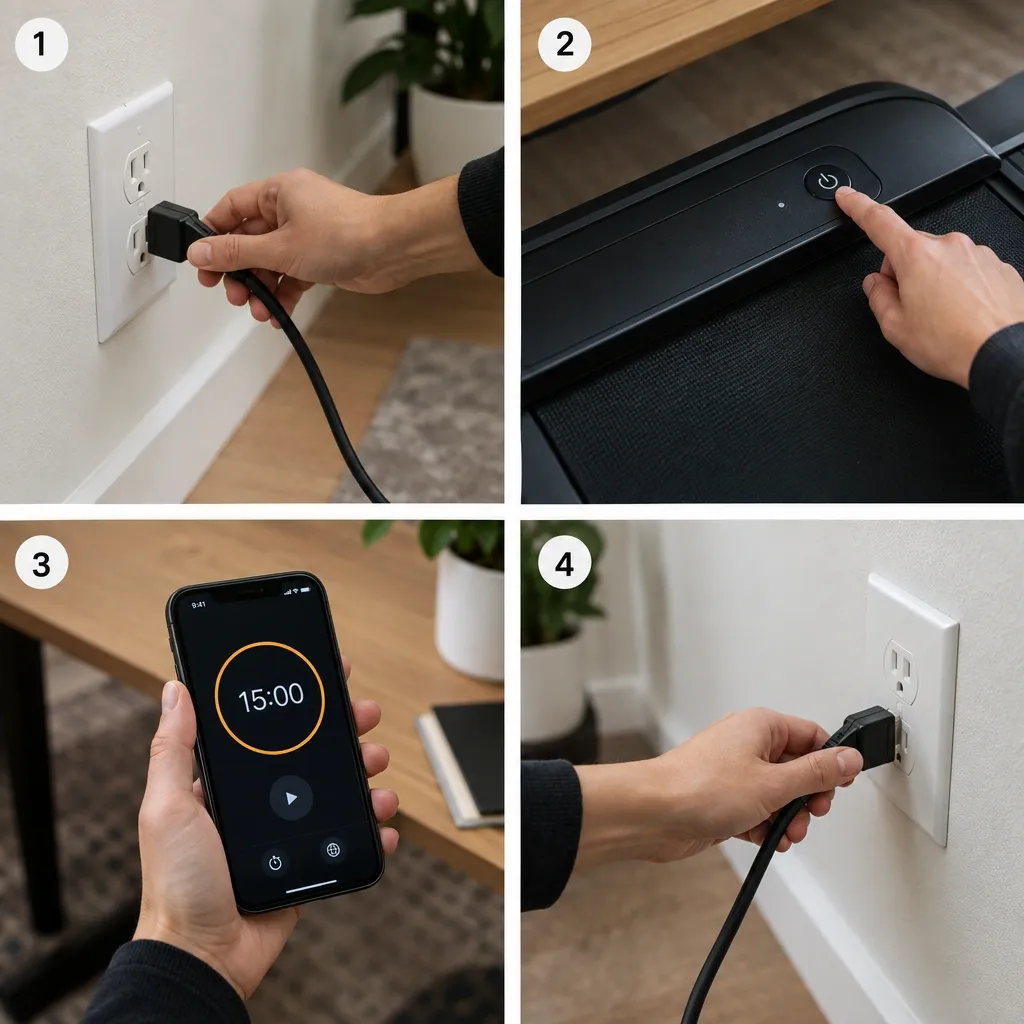
Before you touch any screws or cables, run this reset sequence. It clears the majority of error codes, especially E01 and E02, in about fifteen minutes.
I have seen this fix machines that owners were ready to send back to the manufacturer.
Step 1: Disconnect Everything
Unplug the treadmill from the wall. If the console has a separate power connection — some models use a detachable cable between the console and the base — unplug that too.
Do not just flip a power switch. Pull the plug.
Step 2: Drain the Residual Power
This is the step almost everyone skips. The console keeps enough electrical charge stored in its capacitors to display error codes for hours after unplugging.
Press and hold the power button on the console for 30 seconds. You may see the display flicker or go dark — that is the stored charge discharging.
If your model has no power button, hold the speed up and speed down buttons together for 30 seconds.
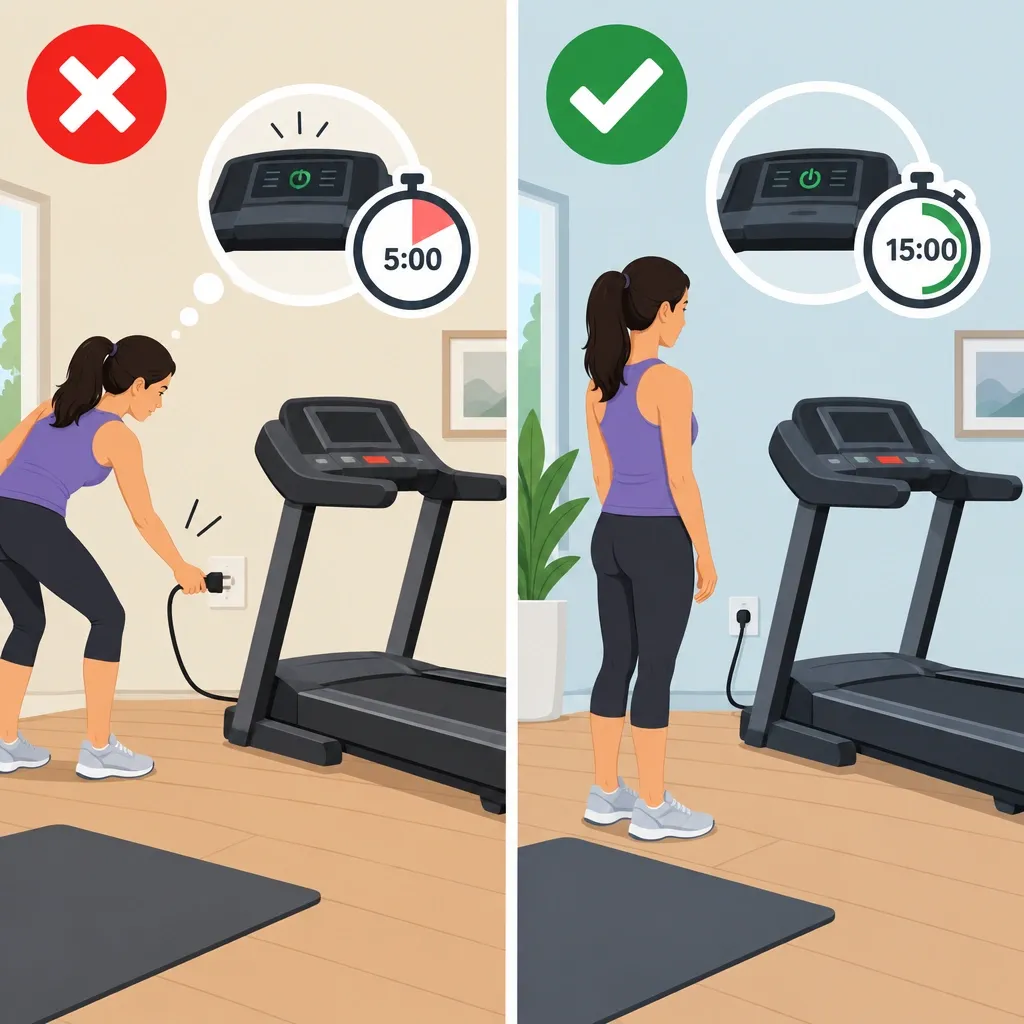
Step 3: Wait the Full 15 Minutes
Five minutes is not enough. The capacitors need time to fully discharge, and the controller needs time to clear its stored fault memory. Set a timer and walk away.
I use this time to check the power cord for damage and confirm the outlet is clean.
Step 4: Repower the Right Way
Plug the treadmill directly into a wall outlet — not a power strip, not an extension cord, not a surge protector. We will talk about surge protectors later, but for now, trust the direct wall outlet.
Turn the machine on and see what happens.
If the code is gone, you are back in business. If the same code reappears immediately, move on to the code-specific fixes below.
What Each Error Code Means and How to Fix It
Not all codes respond to a simple reset. Some point to specific hardware issues that need a closer look. Here is the breakdown for each major code.
E01: Communication or Power Interruption Fault
E01 is the most common code on under-desk treadmills, and it is almost always an electrical event rather than a hardware failure.
The motor controller lost communication with the console, or it detected a power irregularity it did not like. Common triggers include:
- Dirty power from an outlet that shares a circuit with a fridge or microwave
- A loose connection between the console and the base
- A low battery in a wireless remote or console display
- Unplugging the treadmill while it was still running
Start with the three-point connection inspection. First, check where the power cord enters the base. Wiggle it gently and look for looseness.
Second, locate the data cable that connects the console to the motor controller. On most under-desk treadmills, this cable runs through the upright post and connects with a small plug.
Unplug it, inspect the pins for bent or dirty contacts, and plug it back in firmly. Third, if your console uses batteries, replace them with fresh ones even if they seem fine.
A weak battery can cause the console to drop communication and trigger E01.
E02: Voltage Protection or IPM Overheat
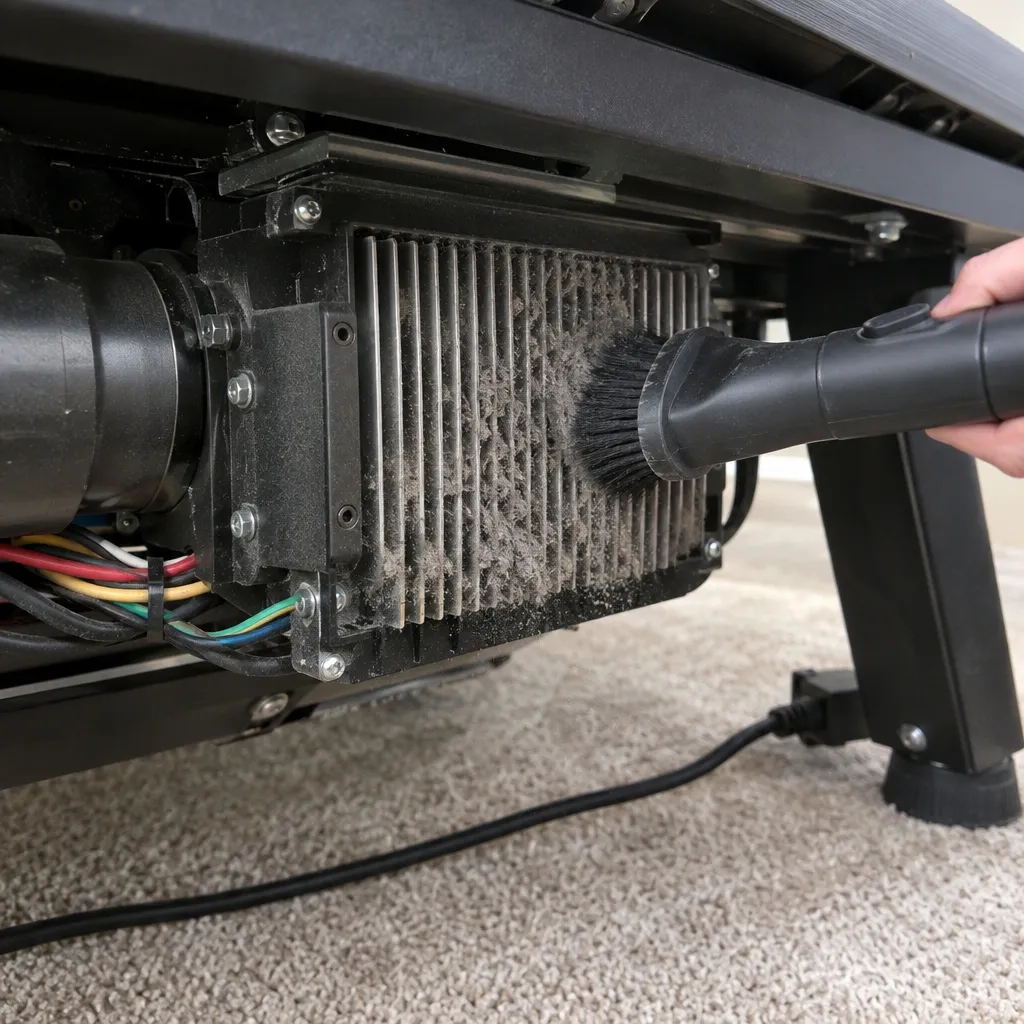
E02 has two possible meanings, and figuring out which one you are dealing with is the key to fixing it.
If your treadmill shut down with E02 mid-walk and the underside feels warm, you are dealing with IPM overheat.
The IPM (intelligent power module) is a chip on the motor controller that manages power to the motor.
It has a built-in temperature sensor, and when the chip gets too hot, it shuts the motor down to prevent damage. Dust buildup on the controller's heat sink is the number one cause.
Vacuum the vents on the underside of the treadmill and make sure the machine has at least a few inches of clearance on all sides for airflow.
If the machine was cold when you started it and E02 appeared right after power-on, you are dealing with a voltage protection event.
The controller detected voltage outside its safe range — usually above 130V or below 90V.
This is common after moving the treadmill to a new room with different wiring, or when the machine shares a circuit with other high-draw appliances.
A direct wall outlet on a dedicated circuit usually solves this.
E03: Motor or Drive System Fault
E03 means the motor controller sensed that the motor was struggling or failing to turn. This happens when the belt is too tight, the walking surface is too sticky, or the motor itself has worn parts.
Test belt tension first. A properly tensioned belt lifts about two to three inches off the deck in the center. If it lifts more than that, it is too loose and slips.
If it barely lifts, it is too tight and puts strain on the motor. Adjust using the hex bolts at the rear of the treadmill.
Then do the manual spin test. Unplug the treadmill and try to move the belt by hand. It should slide smoothly with moderate resistance.
If it jerks or feels like it is dragging, the motor may have a damaged bearing, or the belt and deck need lubrication.
E05: Console-to-Controller Communication Fault
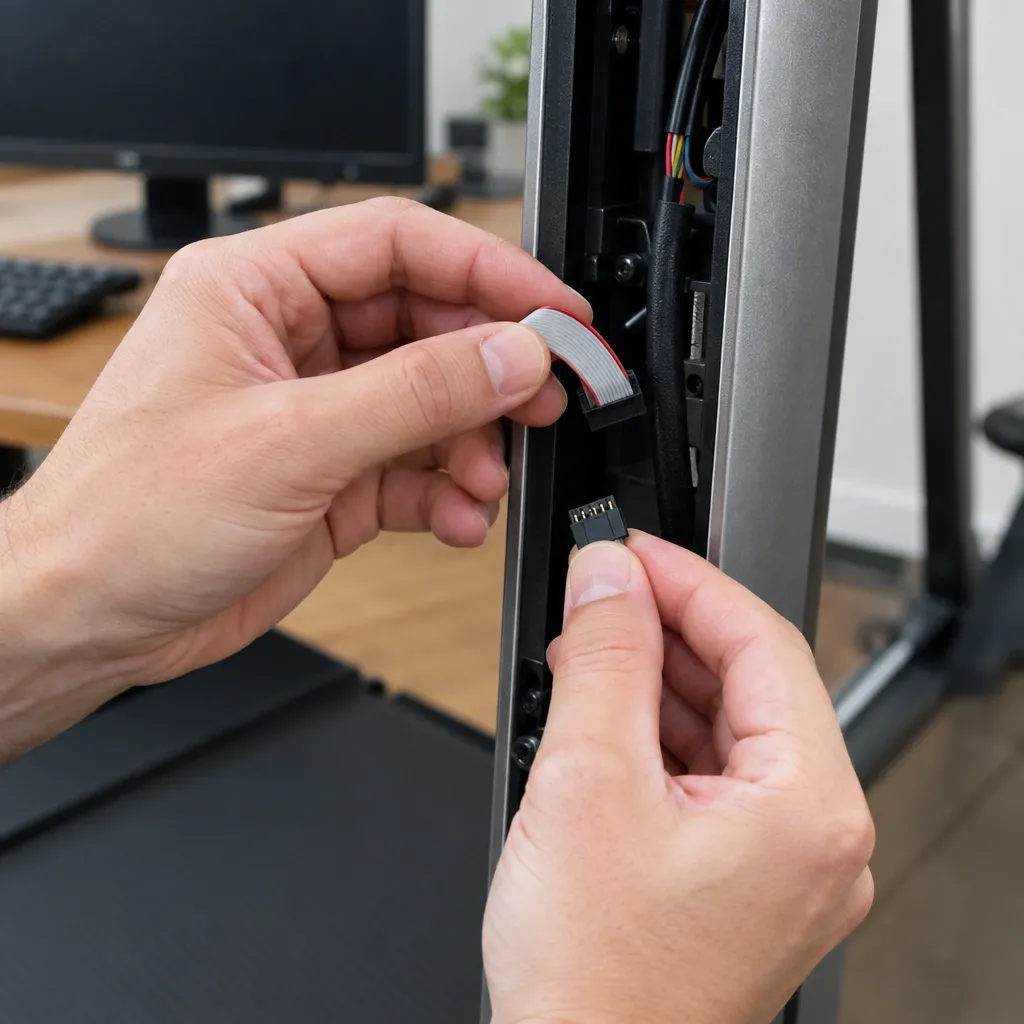
E05 is a data cable problem. The console and the motor controller are not talking, usually because the cable between them has come loose, been pinched, or has a broken wire.
Locate the data cable — the thin multi-wire ribbon that runs inside the upright post. Reseat both ends firmly.
If E05 persists, inspect the cable for kinks or visible damage, especially near the folding hinge if your treadmill folds.
A damaged cable needs replacement, and most brands sell this as a spare part for under twenty dollars.
E06: Motor Current Overload
E06 appears when the motor draws more current than the controller expects. This is almost always a friction problem.
The belt is dragging against the deck, the deck needs lubrication, or the motor itself is wearing out. Lubricate the deck first, then re-test.
If E06 returns, the belt may be too tight — loosen the rear bolts a quarter turn at a time until the belt lifts two to three inches in the center.
E07: Safety Key or Sensor Malfunction
E07 is the most under-diagnosed code on the list. The safety key is that small plastic clip with a magnet that attaches to the console.
The console uses a magnetic sensor to detect whether the key is in place.
If the magnet has weakened, or the sensor has collected dust or debris, the console thinks the safety key is missing and refuses to operate.
Remove the safety key, wipe it with a clean cloth, and clean the slot on the console where it sits. If the code persists, test the key's magnet by holding a paperclip or small screw against it.
If it does not hold, the magnet is too weak and the key needs replacing.
Myths vs. Reality
After years of troubleshooting these machines, I have collected a few beliefs that cost people time and money. Here is the real story.
| Myth | Reality |
|---|---|
| Unplugging for 5 minutes resets the system | Capacitors can hold charge for hours. The full drain procedure in the reset protocol above is the only reliable way. |
| Error codes are brand-specific and proprietary | Most under-desk treadmills use controller chips from the same few manufacturers, with nearly identical fault logic. |
| A surge protector will fix E01 errors | Some surge protectors actually introduce the voltage irregularity that triggers E01 in sensitive controllers. |
| If the code clears, the problem is solved | A code that clears and returns is an intermittent fault that will get worse. Proactive replacement is cheaper than reactive repair. |
| The manual's troubleshooting section covers everything | Manuals are written by manufacturers who default to "contact customer service" for anything beyond a basic reset. |
Cross-Brand Code Translation Matrix
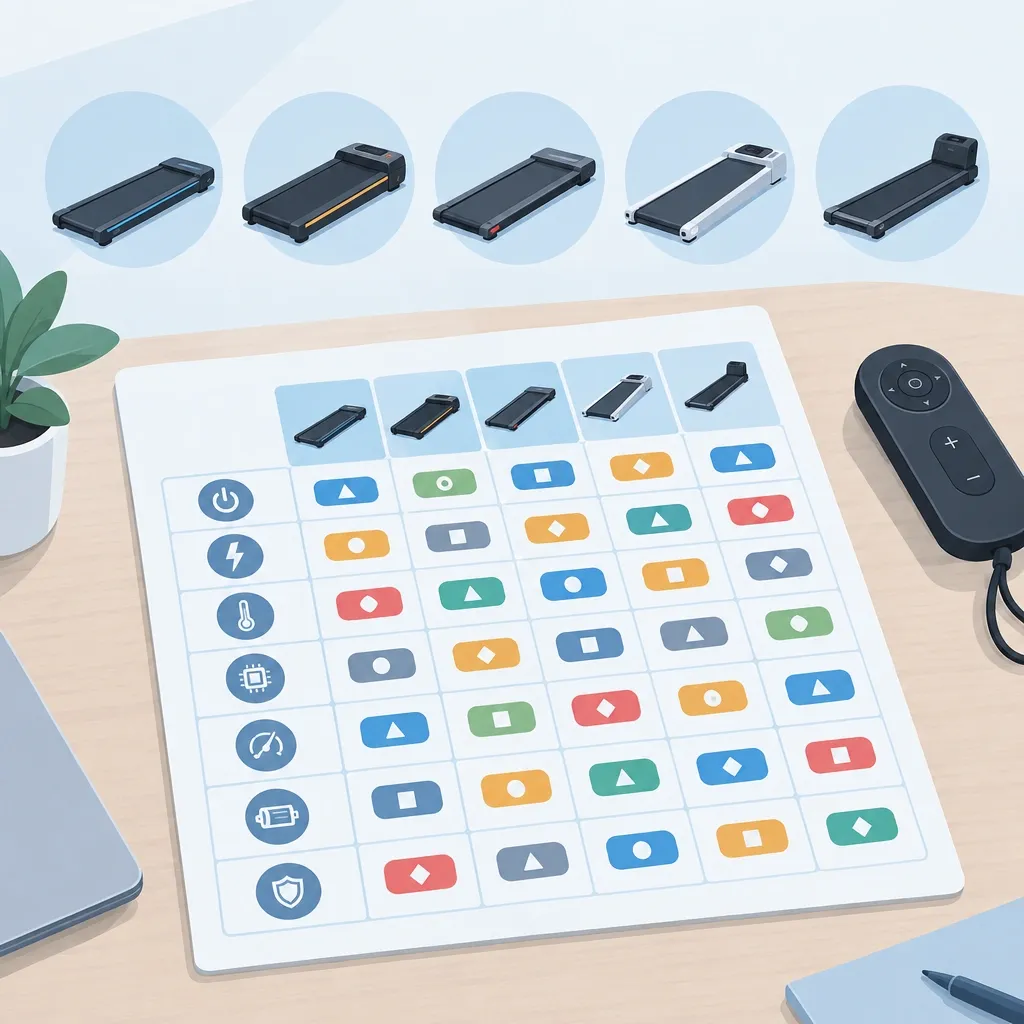
This is the table I wish existed when I started working on these machines. The same underlying fault displays differently depending on the brand.
Your WalkingPad E02 is the same fault as a UREVO E03 — here is the map.
| Underlying Fault | WalkingPad | UREVO | Redliro | Goplus | A1 Pro |
|---|---|---|---|---|---|
| Power interruption | E01 | E01 | E02 | E01 | E01 |
| Voltage protection | E02 | E03 | E01 | E02 | E02 |
| IPM overheat | E02 | E03 | E03 | E02 | E03 |
| Motor fault | E03 | E04 | E04 | E03 | E05 |
| Communication fault | E05 | E05 | E05 | E04 | E01 |
| Safety key or sensor | E07 | E07 | E06 | E05 | E07 |
How do you know which row applies to your specific machine? Look at the symptoms, not the code.
If the belt stopped mid-walk and the unit is warm, it is an overheat fault no matter which code your brand displays.
Pair the symptoms with the code-specific fixes above and you will be on the right track.
If you want the definitive list for your machine, find the model number printed on the controller board itself.
It is usually a silver or green circuit board visible through the vent slots on the underside. Search that number plus the words "error codes" and you will find the exact manual for your board.
Preventive Maintenance That Stops Error Codes Before They Start
Every code we have covered has a root cause, and most root causes are preventable. Here is the maintenance routine that keeps under-desk treadmills running quietly for years.
The Power Quality Protocol
Under-desk treadmills are more sensitive to power fluctuations than full-size treadmills because their capacitors are smaller and their controllers are cheaper.
These machines do not tolerate being on the same circuit as a refrigerator, microwave, or space heater. The compressor cycling on and off causes a voltage dip that triggers E01 or E02.
Give your treadmill its own wall outlet or, at minimum, a circuit that does not see heavy cycling loads.
Dust and Heat Management
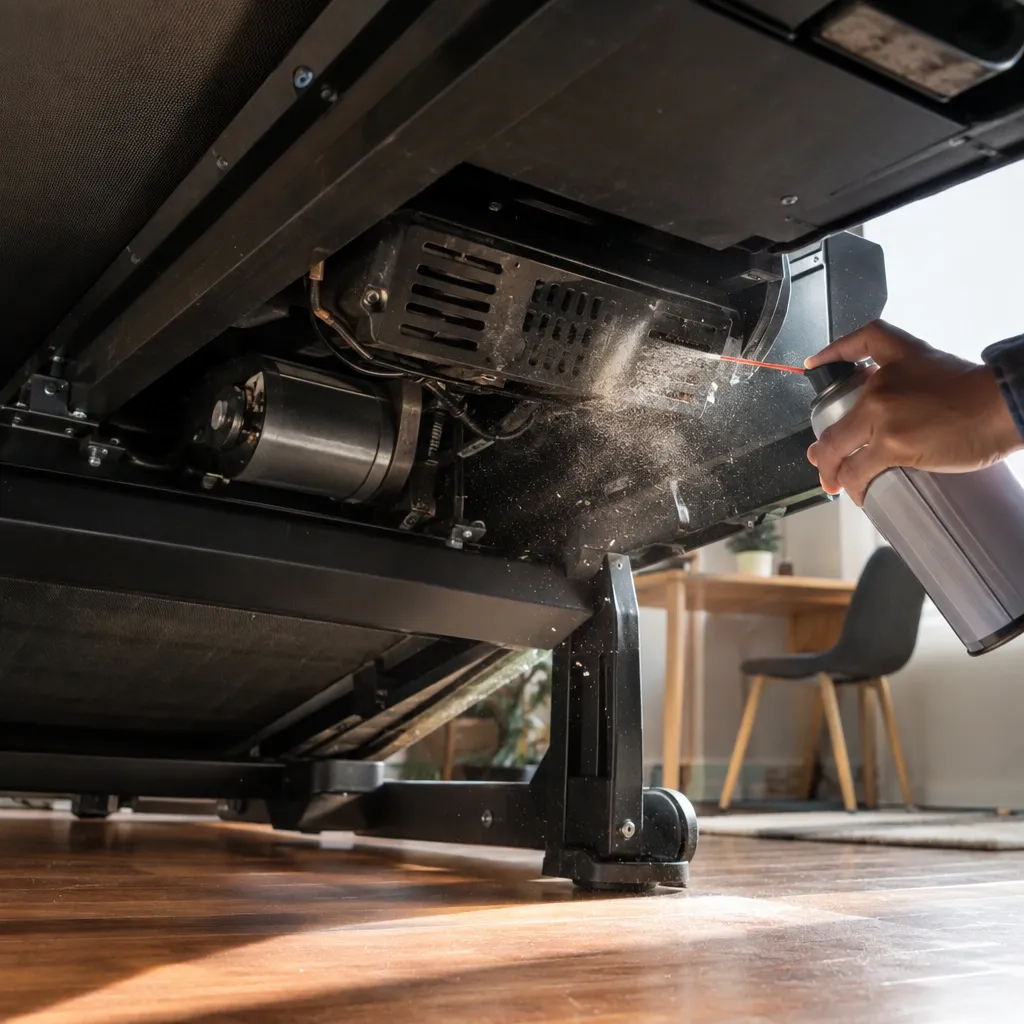
The motor controller's heat sink is the most temperature-sensitive component in the machine. Dust buildup on this heat sink insulates it and causes E02 overheat shutdowns.
Vacuum the underside vents every two weeks if the treadmill lives under a desk in a carpeted office. A soft brush attachment works best.
Lubrication Schedule
Belt friction is the hidden cause of E03 motor faults. A belt that drags against the deck forces the motor to work harder, drawing more current and eventually tripping the motor fault protection.
Most manufacturers recommend lubricating the deck every three months or every 100 miles of use, whichever comes first.
Apply a silicone-based treadmill lubricant along the center of the deck, then run the belt slowly for a few minutes to spread it.
About Surge Protectors
Here is a counterintuitive fact: some surge protectors make under-desk treadmill errors worse. Many cheap surge protectors clamp down on voltage in a way that confuses sensitive motor controllers.
That clamping action looks like a voltage irregularity and triggers E01. If you live in an area with frequent outages or lightning, use a good-quality surge protector with a warranty.
If you just plugged into a surge protector for peace of mind, try a direct wall outlet first.
When to Stop Troubleshooting and Call a Professional
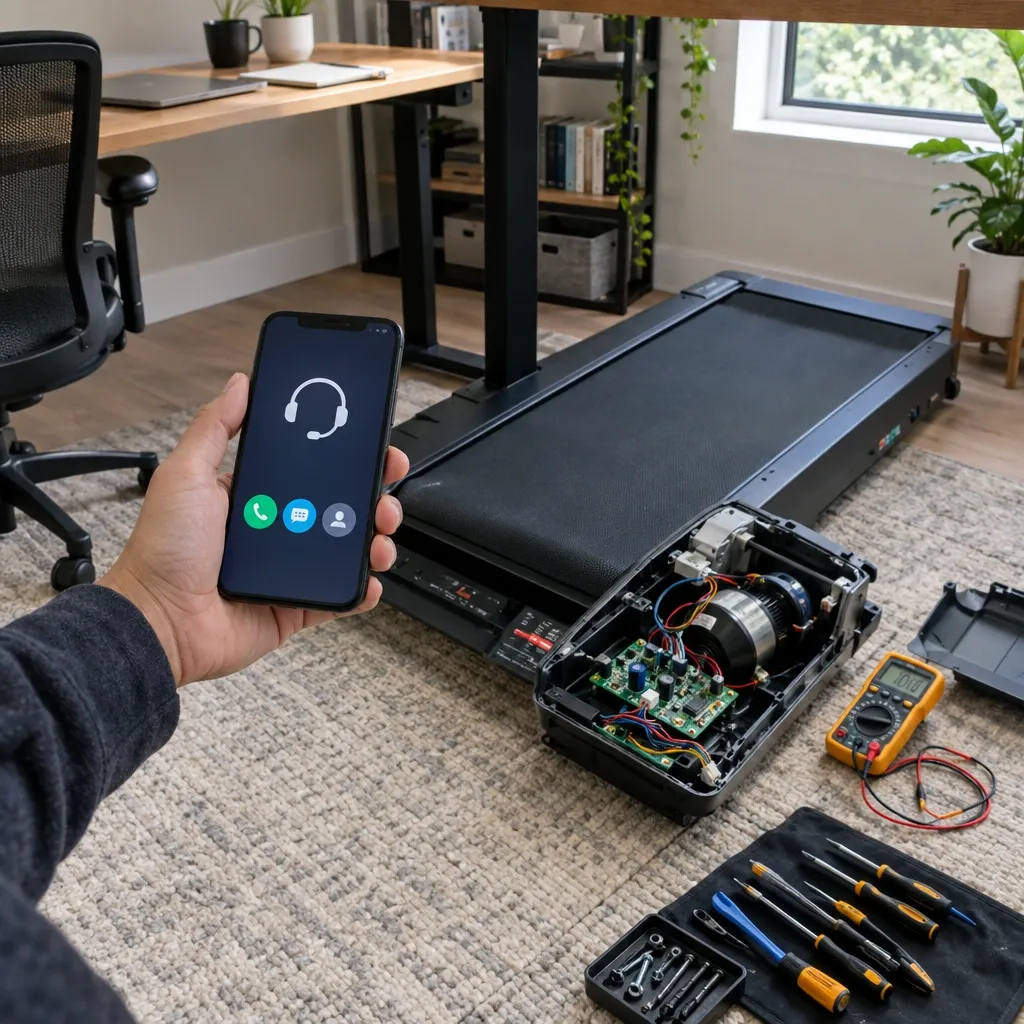
There is a line between safe DIY fixes and repairs that require professional service. Crossing that line with the wrong tools can damage the machine and, in the worst case, create a fire hazard.
Use the Three-Strike Rule: if the same code returns three times after you have run the full reset protocol and the code-specific fixes, the issue is hardware, not environmental.
Stop troubleshooting and decide whether this is a warranty repair or a service call.
Here is what you can safely fix yourself:
- Safety key replacement
- Data cable reseating or replacement
- Belt tension adjustment
- Deck lubrication
- Vent cleaning
And here is what you should leave to a professional:
- Motor controller replacement
- Motor replacement or repair
- Wiring harness repair
- Incline mechanism repairs
I use what I call the Screwdriver Rule: if you need more than a Phillips head screwdriver and a hex key to do the repair, you are beyond DIY territory.
Motor controllers handle household current, and an improper connection can cause a short that starts a fire. That is not a risk worth taking to save a service fee.
For warranty claims, document everything. Take photos of the error code, the model number, and your reset attempts.
Most brands require proof of purchase and a video of the code before they authorize a replacement. If you attempt a repair and cause visible damage, the warranty is void.
When in doubt, call the manufacturer first.
Frequently Asked Questions
Why did my treadmill show E02 right after I moved it to a new room?
A new room means a different outlet, and different outlets have different wiring patterns. The voltage in one room can be meaningfully different from another, especially in older buildings.
If you also plugged the treadmill into an extension cord or power strip during the move, that adds resistance and can push the voltage out of the controller's safe range.
Plug directly into the wall in the new room and run the reset protocol.
Can a low battery in the remote cause error codes?
Yes, and this is more common than people think. Some under-desk treadmills use a wireless remote that communicates with the console over a low-power radio signal.
When the remote's battery drops, the signal becomes weak and intermittent, which the controller reads as a communication loss and displays as E01 or E05.
Replace the remote battery before you disassemble anything.
What does a flashing error code mean versus a steady one?
A flashing code usually means the fault is currently active — the problem is happening right now.
A steady code usually means the fault has been stored in the controller's memory and will stay until the controller is fully reset.
If you see a flashing code, inspect the machine for the immediate cause. If it is steady, run the full reset protocol to clear it.
Is it safe to use my under-desk treadmill on a carpet?
It is safe, but carpet creates static electricity, and static discharge is a real trigger for E01 and E05 communication errors.
The controller's sensitive chips can be disrupted by even a small static shock.
Use a treadmill mat on carpet, and touch the treadmill frame before you press the start button to discharge any static from your own body.
My manual shows different codes than what I am seeing. Which should I trust?
Trust the machine, not the manual. Firmware updates can change code meanings, and many manufacturers reuse the same manual across multiple models with different controllers.
The definitive list is the one printed on the controller board or in the specific manual for that board model. Search the board model number printed on the circuit board to find the correct reference.
How do I know if my treadmill's error is covered by warranty?
Warranty coverage comes down to whether the cause is a component failure or an environmental trigger. A failed motor bearing or a dead controller is a component failure and should be covered.
A burned-out controller caused by running the treadmill on a faulty outlet is an environmental trigger and is not covered.
Document everything, including photos of the outlet you use and the error code, and contact the manufacturer before attempting any repair.