How to Clean Walking Pad Motor: A Step-by-Step Guide

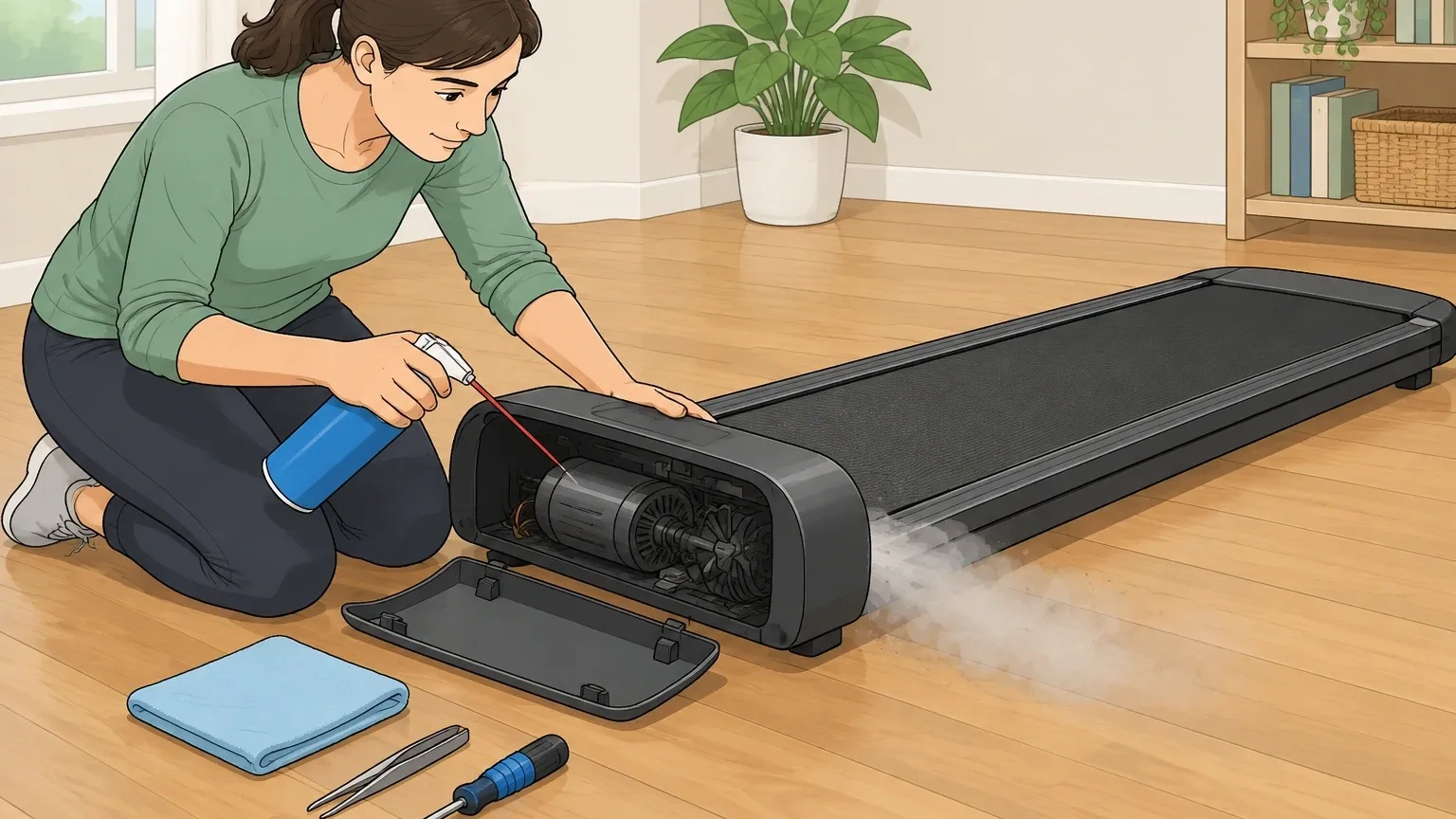
Motor cleaning is the most overlooked maintenance task for walking pads, and it directly prevents heat buildup, belt slippage, and motor failure. It's different from cleaning the belt or deck.
The motor chamber traps heat and debris that the belt doesn't. You need to access that chamber, use compressed air to blow out dust, wipe soot from pulleys, and inspect for burnt odors or debris.
Do it right and you won't void your warranty or damage anything. Here is exactly how.
Why Motor Cleaning Is Non‑Negotiable
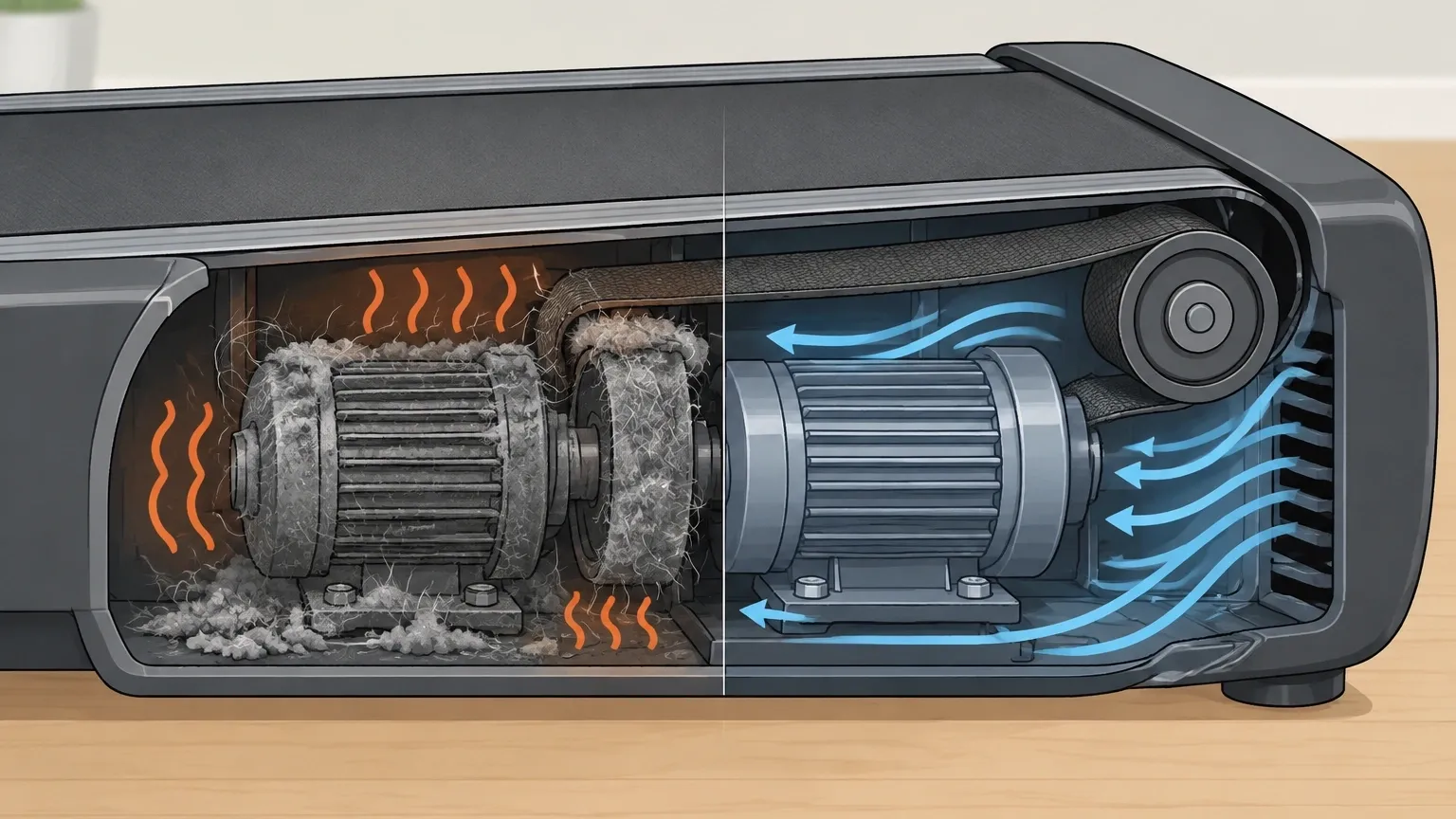
Every walking pad motor works by spinning a pulley that drives the belt. Heat builds up inside the motor chamber from friction and electrical resistance.
Dust, pet hair, and lint act like insulation, trapping that heat. Over time the motor overheats, the controller board can fry, or the drive belt slips because soot builds up in the pulley grooves.
Cleaning the motor chamber removes that insulation and lets the motor run cooler. You get better performance, less noise, and longer lifespan.
Before You Start: Tools, Safety, and Warranty
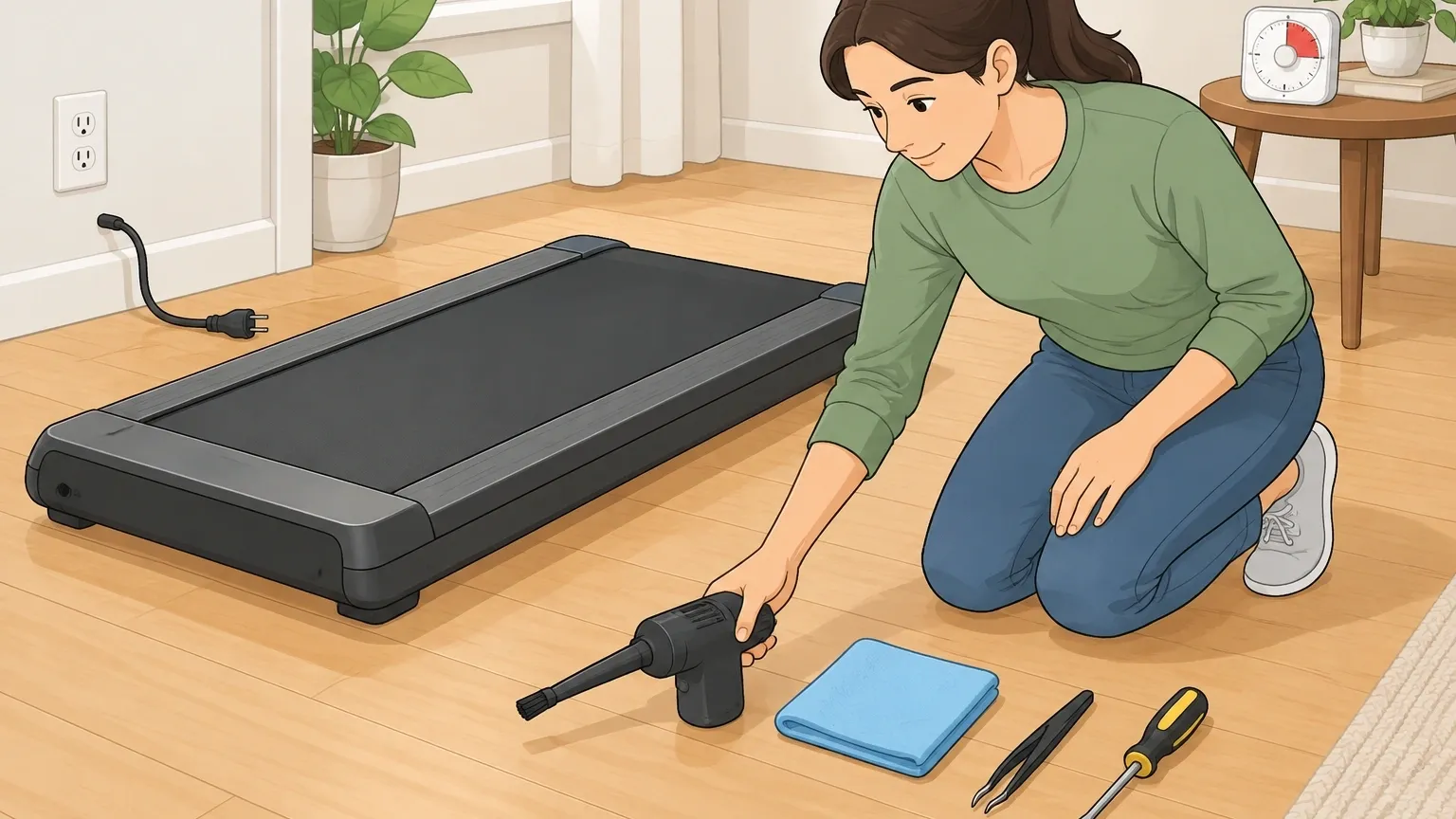
Tools you need:
- Electric duster or compressed air can (no vacuum, see mistakes section)
- Microfiber cloth (damp, not wet)
- Small flathead screwdriver (to release plastic clips)
- Tweezers (for hair and debris wrapped around axles)
- Vacuum with brush attachment (optional, for external dust only)
Safety first:
- Unplug the walking pad and wait at least 10 minutes. Capacitors inside the controller hold charge and can shock you.
- Do not touch exposed wiring or metal contacts.
- Keep pets and children away while you work.
Warranty warning: Opening the motor chamber may void your warranty, especially if you break any factory seals or glued panels.
The risk is low if you only remove a cover and don't damage wires or components.
Take a photo of the interior before you touch anything so you can show it was in good condition if you ever need to claim warranty.
How to Access the Motor Chamber
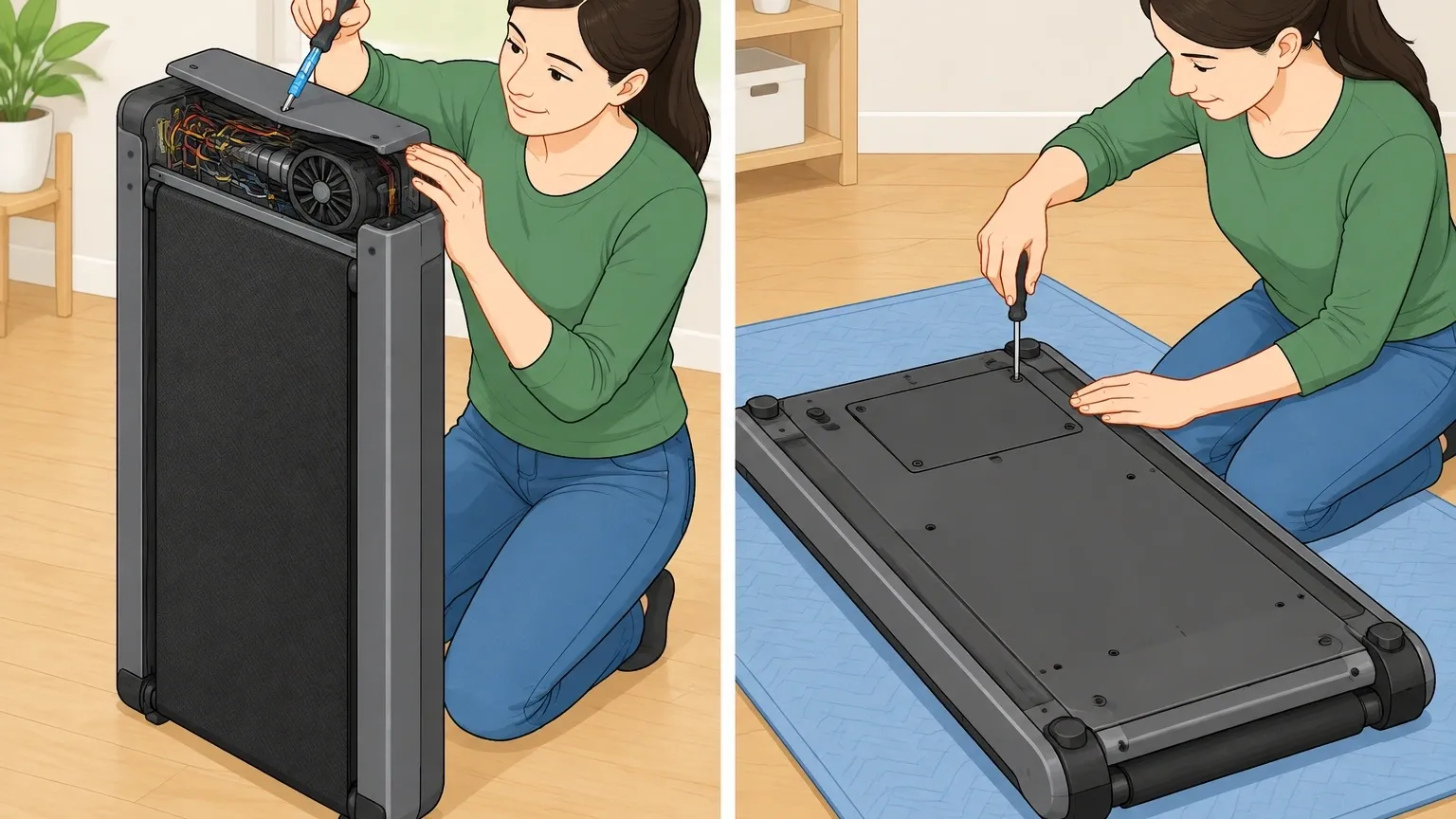
Walking pads come in two common designs: motor on top (under a plastic cover) or motor underneath (under the main deck). Here is how to access each.
Top‑motor units
Look for screw holes or plastic clips along the top edge of the motor cover. Some covers are held with one or two screws, others snap into place.
Gently pry the cover off with a flathead screwdriver wrapped in tape. Watch for wires that may be glued to the lid. If you see hot‑glue, cut it carefully with a blade or pry the glue loose.
Do not yank the cover off; you can tear wires.
Under‑motor units
Turn the walking pad upside down. Look for a dedicated motor access panel — a separate plastic cover, usually smaller than the main bottom plate. Remove the screws from that panel only.
Do not remove the main deck screws or you will detach the walking belt alignment.
If you don't see a panel, you may need to remove the entire bottom plate, but that is rare and usually unnecessary for cleaning the motor.
If you get stuck
Hidden screws sometimes sit under rubber plugs or stickers. Run your fingers over the surface to feel for bumps. Peel stickers carefully — they may hide screw holes.
The Cleaning Process – Inside and Out
De‑dust the motor housing and fan
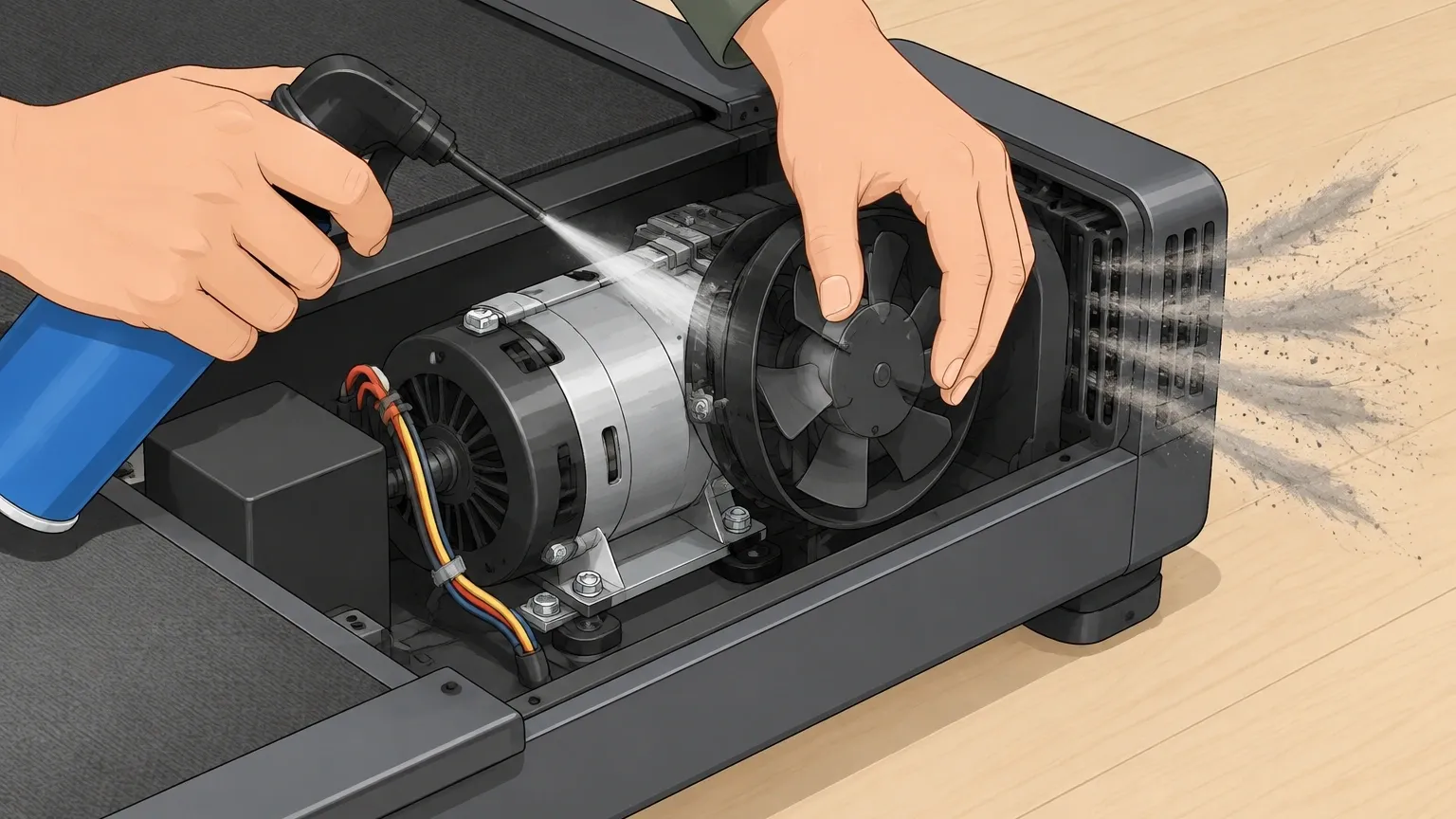
Use compressed air or an electric duster in short bursts. Hold the fan blades still with a finger or a tool so they don't overspin and damage the bearings.
If you have a brushed motor, blow out carbon dust from the rear vents. Wear a mask — carbon dust is fine, conductive, and can short the motor if left inside.
Never use liquid cleaners near motor windings.
Clean the drive pulley and motor pulley
Soot builds up in the grooves of both pulleys, causing the drive belt to slip. Wipe between the grooves with a damp microfiber cloth. Rotate the pulley by hand to access all grooves.
Keep wiping until the cloth comes away gray instead of black. It will take several passes.
Remove debris from bearings and axles
Use tweezers to pull out hair, thread, or lint wrapped around the front axle and motor shaft.
If you see rust or grinding when you spin the axle by hand, note that for repair — cleaning alone won't fix seized bearings.
(Optional) Clean the controller board
If the controller PCB is accessible, gently blow dust off it with compressed air. Do not touch any components or spray anything on it. Look for burnt spots or melted wires.
If you see burn marks, the board needs replacement — cleaning won't help.
After Cleaning – Inspection and Follow‑Up
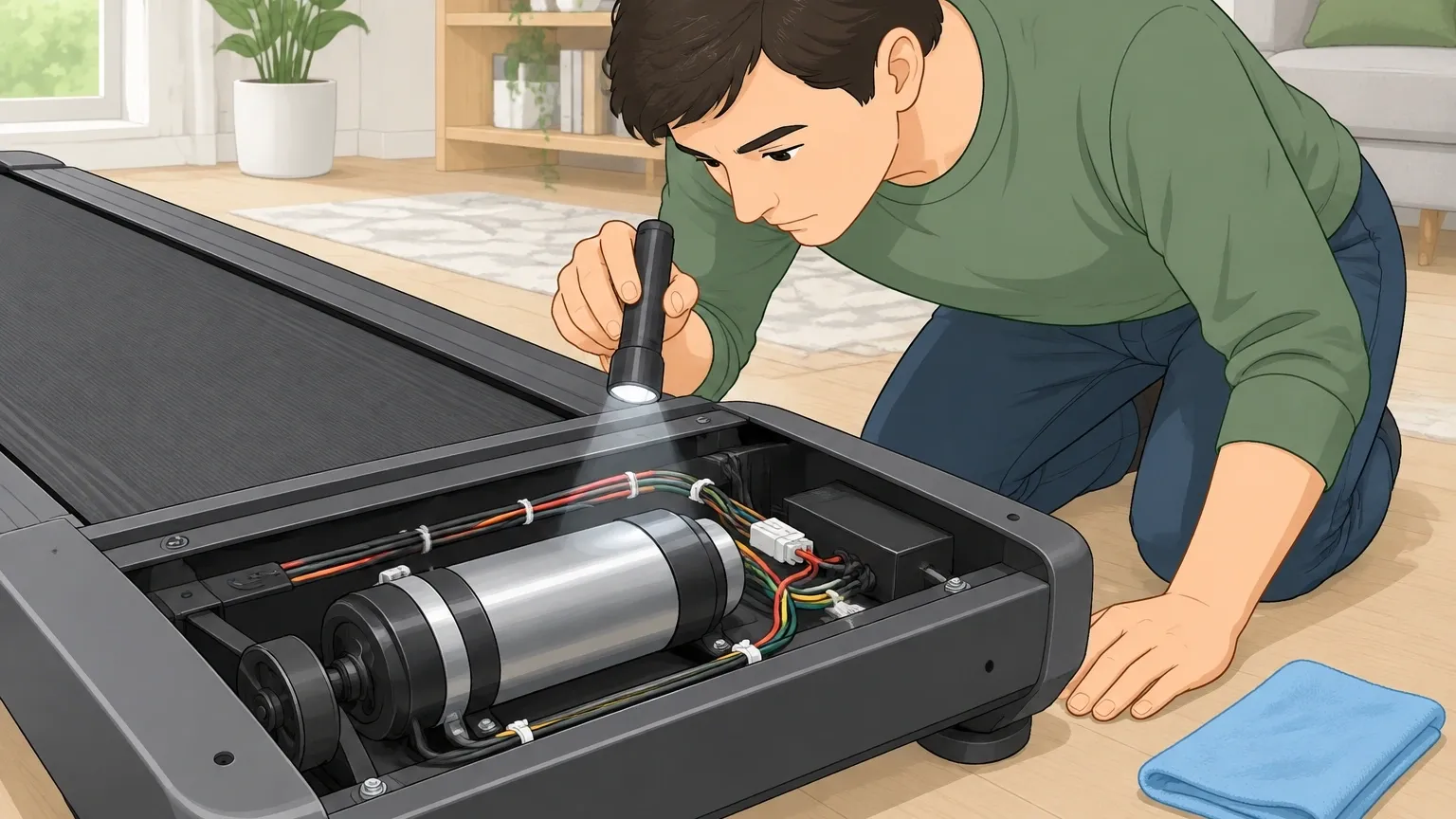
Now that the motor chamber is clean, check for signs of deeper trouble:
- Burnt smell that lingers — indicates motor winding damage.
- Melted wires or loose connections.
- Oil puddles — from previous over‑lubrication. Clean them immediately; oil attracts dust and causes overheating.
If you find any of these, stop cleaning and plan a repair. Otherwise, proceed.
Clean the walking deck and belt
This is the perfect time to also clean the deck because you already have the motor chamber open. Remove the old silicone lube sludge from the deck with a microfiber cloth.
Then you will re‑lubricate the belt after reassembly.
Re‑lubricate the belt
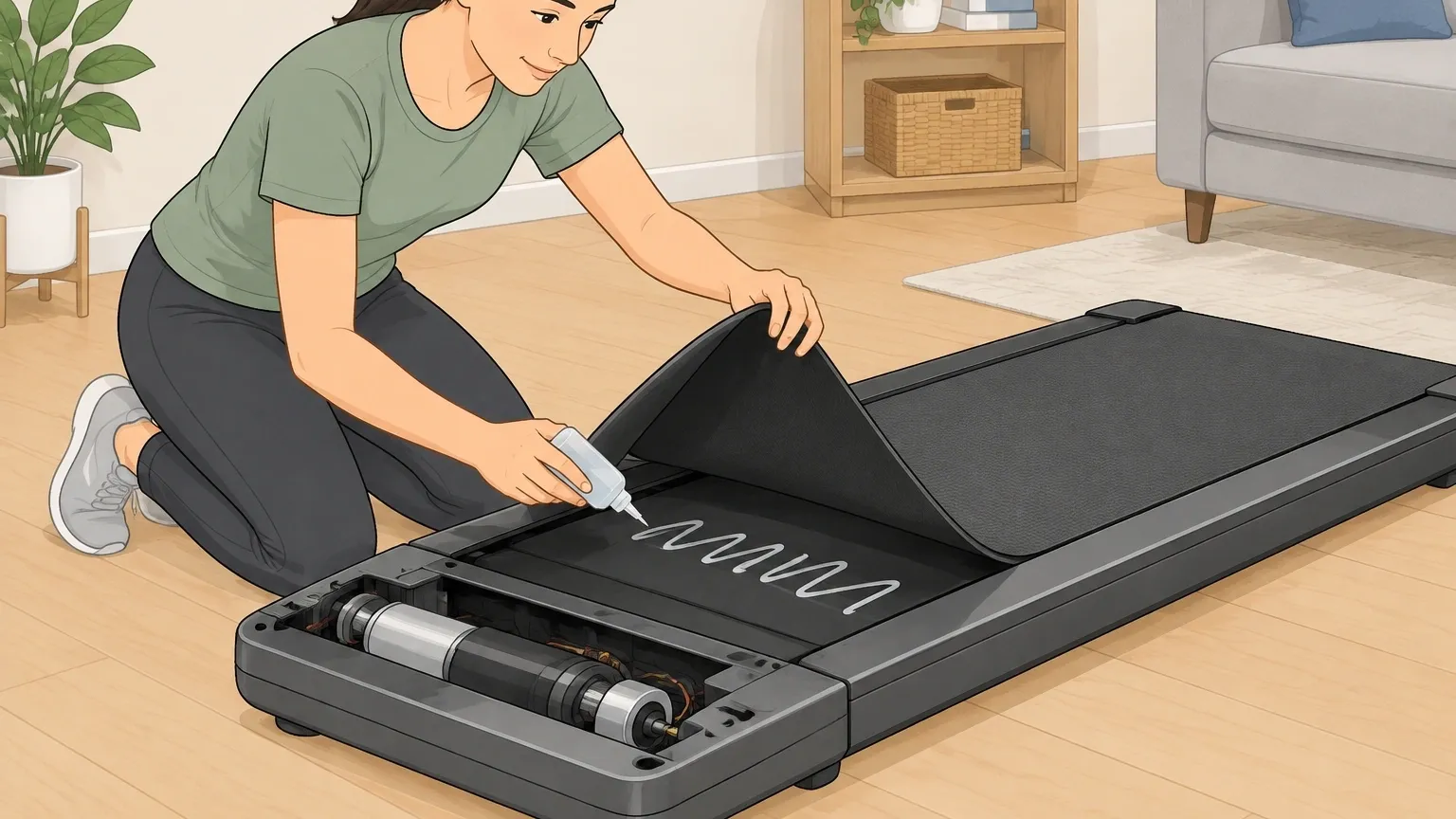
Only apply silicone lubricant after the deck is clean. If you put lube over dust, you trap debris against the motor chamber.
Apply in a zig‑zag under the belt, run at low speed for two minutes without stepping on it, then check for an even coating.
How Often Should You Clean the Motor?
Frequency depends on usage and environment:
| Usage Level | Cleaning Interval |
|---|---|
| Light use (under 1 hour/day, no pets, hard floor) | Every 2 months |
| Heavy use (all‑day walking, pets, carpet) | Every 2–4 weeks |
| Open‑casket mod (motor cover left off permanently) | Less frequent dusting but check weekly for visible debris |
| Symptom‑based signs (unusual heat, burning dust smell, error codes E01 or E02) | Clean immediately |
Brushed vs. Brushless – A Critical Distinction
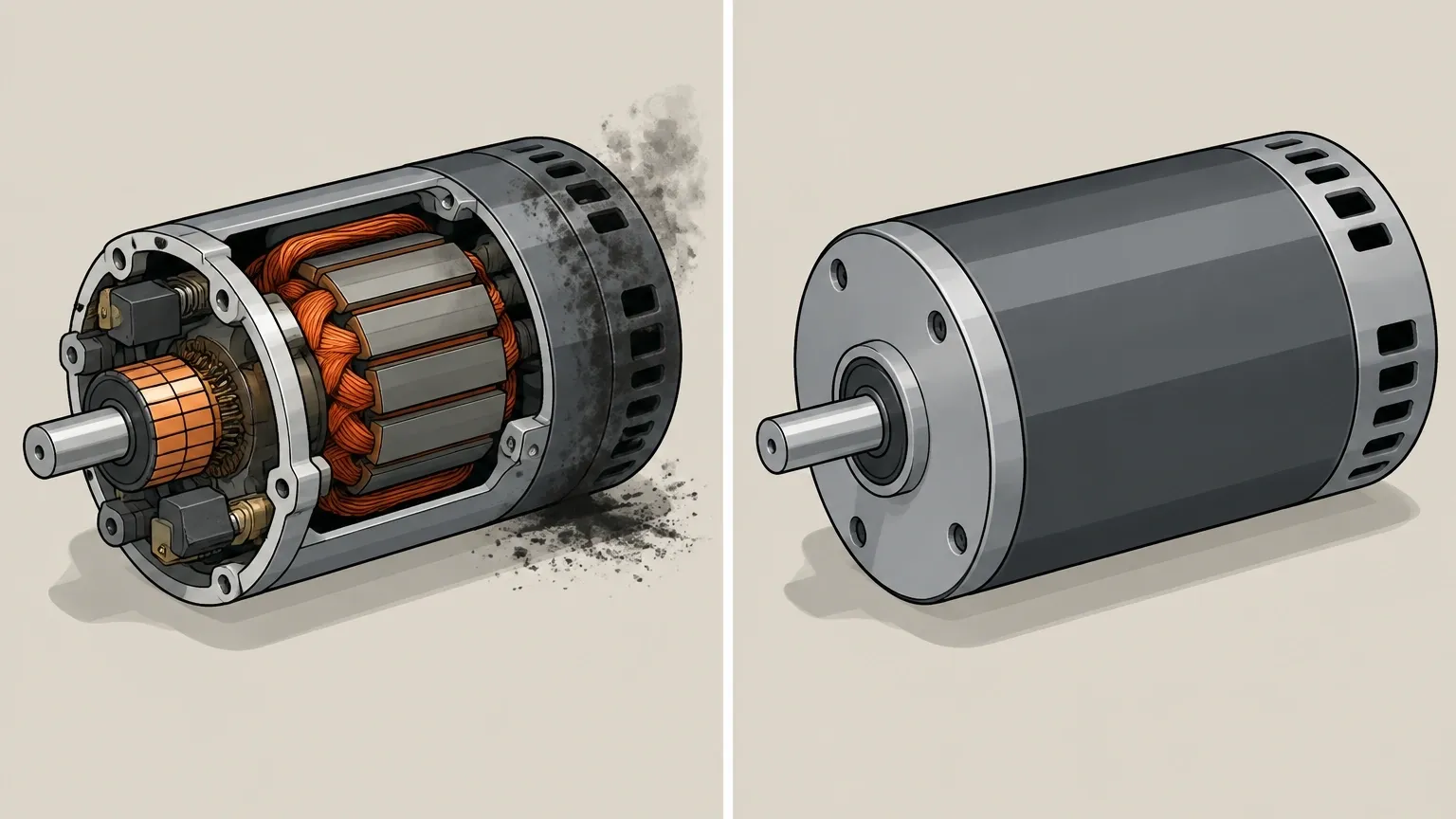
Most cheap walking pads use brushed motors. Brushed motors generate carbon dust inside the motor housing as the brushes wear against the commutator.
This dust must be cleaned from inside the motor housing, not just the chamber. Brushless motors are sealed and only need external dust removal around the fan and vents.
How to tell which you have: If the motor has visible copper windings and you see a black dust cloud when you spin it by hand, it's brushed.
If the motor is a sealed unit with no visible windings, it's brushless. For brushed motors, focus extra air bursts directly into the rear vents to blow carbon dust out.
Common Mistakes That Ruin Motors During Cleaning
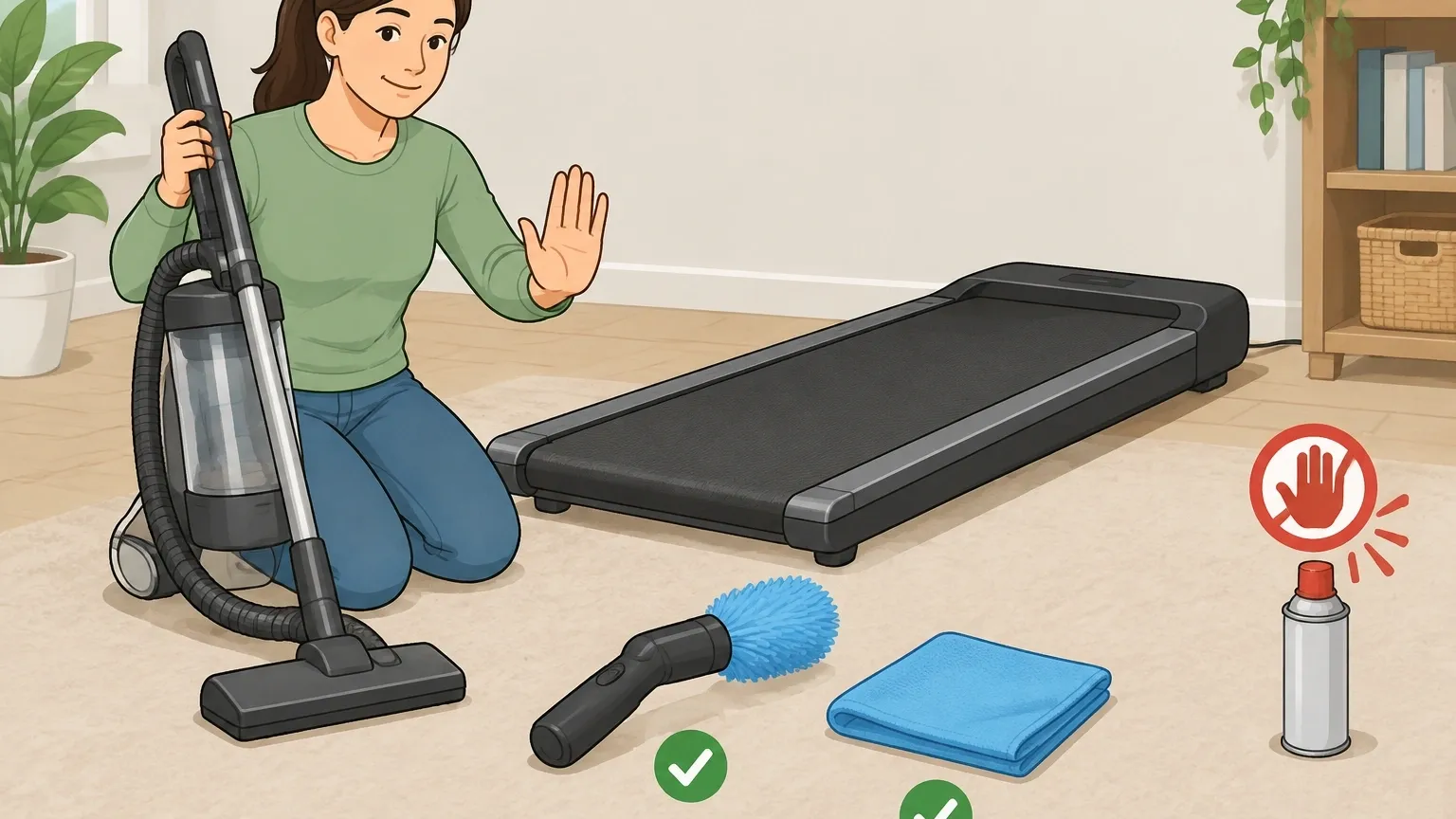
Avoid these five errors:
- Using a vacuum cleaner: Static electricity from vacuuming can fry the controller board. Stick to compressed air or an electric duster.
- Spraying WD‑40 or degreaser: These attract dust and degrade plastic parts. Only use silicone lubricant for the belt, and never on the motor.
- Over‑cleaning the motor shaft: Removing grease from bearings causes premature failure. Leave the bearing grease alone.
- Forcing the belt to move while cleaning: If debris is stuck in the pulley, forcing the belt can damage the motor or drive belt.
- Cleaning without unplugging: Even with the power off, capacitors can hold charge. Always unplug and wait 10 minutes.
Frequently Asked Questions
Can I clean the motor without removing the walking belt?
Yes, for external dust and pulley cleaning you can reach the motor chamber without removing the walking belt. But you may not fully access the front pulley area.
If you see soot on the drive belt, it's easier to loosen the belt and slide it off to clean the pulley thoroughly.
What does a burnt motor smell like?
A sharp, acrid, chemical odor that lingers even after cleaning. That smell means the winding insulation is damaged. If you smell it after cleaning, the motor is failing and needs replacement.
Why is there oil inside my motor chamber?
That is excess silicone lubricant that migrated from the belt area. Oil on motor windings attracts dust and causes overheating. Clean it immediately with a dry cloth.
Then check your lubrication method — you may be applying too much lube.
Do I need to clean the motor if my walking pad is brand new?
Yes. Manufacturing dust and shipping debris often accumulate inside the chamber. A quick blow‑out before first use can extend motor life by preventing that debris from causing early heat buildup.
My walking pad still smells after cleaning – what now?
Run it at high speed with no one on it for 5 minutes to let any trapped dust burn off. If the smell persists, the motor winding is likely damaged.
Stop using it and plan a motor replacement or warranty claim.