
Are Walking Pads Safe?

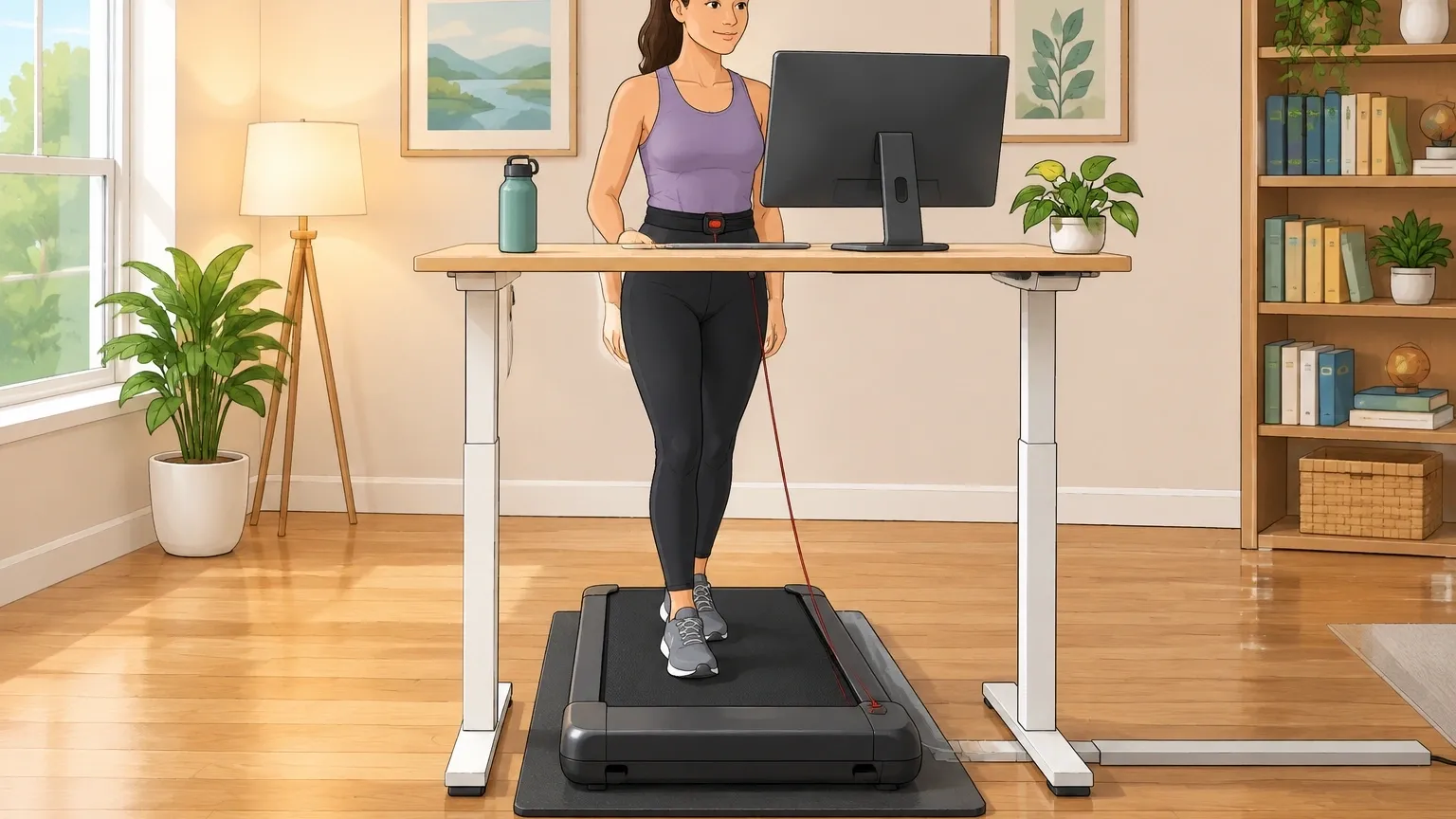
If you have seen walking pads all over social media and wondered whether they are actually safe, you are not alone.
The honest answer is that walking pads are safe for most people when used the right way, but safety depends heavily on three things: your own health, the quality of the machine, and how often you use it.
The real question is not if they are safe, but for whom and under what conditions. This article walks through every angle so you can decide with confidence.
What Makes a Walking Pad Different From a Treadmill?
A walking pad is basically a stripped-down treadmill. It has no handles, no incline, a shorter belt, and a lower top speed – usually around 4 to 5 miles per hour.
These differences matter for safety because:
- No handles means you cannot grab anything if you lose balance. That makes falls more likely if you get distracted.
- No incline eliminates the risk of slipping backward on a slope, but it also means your joints get no variation in movement over time.
- Short belt forces you to take shorter steps. A longer stride could cause you to step off the back.
- Lower speed reduces impact forces, which is good for joints, but also means you might be tempted to walk for longer periods without a break.
Because of these design choices, walking pads are not simply safer or more dangerous than treadmills – they just have a different safety profile.
The Real Risks – Not Just Falls
Most articles only warn you about tripping. But the real risks fall into three categories that are often overlooked.
Equipment Risks
- Motor overheating: Cheaper walking pads may overheat if you walk for more than an hour straight. This can cause the belt to stall or even create a fire hazard.
- Belt slippage: If the belt is not tensioned properly or wears out, it can slip under your feet, making you stumble.
- Electrical short: Poor wiring in low-quality models can cause sparks or shocks, especially if the cord is pinched or the machine is used on carpet.
- Weight capacity failure: Many walking pads claim a 220-pound limit, but that number is often the structural limit, not the safe walking limit. Exceeding it can crack the frame or break the motor mount.
User Error Risks
- Distracted walking: Typing, reading, or watching videos while walking makes you sway. Without handles, a small shift in balance can lead to a fall.
- Improper footwear: Walking barefoot or in slippers increases the risk of blisters, plantar fasciitis, and slipping off the belt.
- Wrong desk height: If your desk is too low, you hunch your shoulders. Too high, and you lift your arms. Both cause muscle strain over time.
Biomechanical Risks
This is the risk that almost nobody talks about. Walking on a flat, unchanging surface for hours every day does not mimic natural walking.
Outdoors, you walk on uneven ground, slight inclines, and soft surfaces. On a walking pad, your body repeats the exact same motion thousands of times. This can lead to:
- Patellar compression: The kneecap can become irritated because your quadriceps work differently on a flat belt versus a sloped sidewalk.
- Plantar fasciitis: Without arch support from proper shoes or a cushioned mat, the fascia on the bottom of your foot can become inflamed.
- Lower back hyperextension: To stay upright without handles, you may unconsciously arch your lower back, straining the lumbar discs.
- Hip flexor tightness: Short strides on a short belt keep your hip flexors in a shortened position, which can cause anterior hip pain after weeks of daily use.
Who Should Walk – and Who Should Think Twice
Walking pads are not one-size-fits-all. Your own body and situation decide whether the risks outweigh the benefits.
Seniors and People With Balance Disorders
If you are over 65 or have a condition that affects balance – like neuropathy, vertigo, or inner ear issues – a walking pad without handles can be dangerous.
The lack of a grab bar means a small stumble becomes a fall.
If you still want to use one, choose a model that allows you to install a handlebar accessory, or place the walking pad in a corner where you can touch a wall.
People With Knee Arthritis or Joint Replacements
Walking pads are actually safer for bad knees than running on a treadmill because the pace is slower and impact is lower. However, the flat surface does not help strengthen the muscles around the knee.
If you have knee arthritis, use a walking pad at a slow speed (1.5 to 2 mph) for no more than 30 minutes at a time, and wear shoes with good cushioning.
Avoid walking pads if you had a knee replacement less than six months ago – the repetitive motion can stress the new joint before it is fully healed.
People With Lower Back Problems
For many people with chronic low back pain, walking pads provide gentle movement that helps. But for others, the lack of a natural stride variation can worsen a herniated disc or spinal stenosis.
If walking on a pad causes pain in your lower back, stop. Try a treadmill with a slight incline (1 to 2 percent) instead, which reduces the pressure on your spine.
People With Foot or Ankle Issues
If you have flat feet, plantar fasciitis, or Achilles tendonitis, a walking pad can be bad for your feet if you walk barefoot or in unsupportive shoes.
The constant, flat-footed strike on a hard belt can flare up these conditions. Use a mat under the pad for shock absorption, or stick to 15-minute sessions with proper walking shoes.
Children and Pet Owners
Walking pads are not toys. Young children can get fingers or clothing caught in the belt, and pets can jump onto the moving belt and be thrown off.
Keep the walking pad in a room with a closed door or use a safety cover when not in use. Never let children operate the machine even at low speed.
How to Use a Walking Pad Safely – A Protocol, Not a Checklist
Instead of a generic “start slow” tip, here is a proper usage protocol based on ergonomic guidelines.
Speed and Duration Guidelines
- Walking: 1.5 to 2.5 mph. Do not exceed 3 mph unless you are used to walking fast on narrow belts.
- Gentle pacing (standing desk): 0.8 to 1.2 mph. This is enough to keep blood flowing without raising your heart rate.
- Maximum session length: 45 minutes for walking, 60 minutes for gentle pacing. Anything longer raises the risk of overuse injury.
- Maximum daily total: 2 hours, split into multiple sessions. Never walk for 2 hours straight.
Correct Stride and Posture
- Keep your steps short. Your foot should land near the front of the belt and push off near the back, but never get close to the edge.
- Stand tall with your shoulders back and your core slightly engaged. Do not lean forward.
- Place the walking pad so that your desk keyboard is at the exact height of your relaxed elbows. Your eyes should be level with the top of the monitor.
- Drink water every 15 minutes, but do not carry a cup while walking – set it down before you step on.
Create a Safety Zone
- Place the pad on a hard, flat floor. Avoid thick carpets because they trap heat and create an uneven surface.
- Keep at least 3 feet of clear space around the pad, especially behind and to the sides.
- Secure the power cord so it cannot be tripped over or chewed by pets. Use a cable raceway or tape it to the floor.
- Use the emergency stop clip or wrist strap that came with the pad. Yes, it looks dorky, but it will shut off the motor if you fall.
Is a Walking Pad Safer Than a Treadmill?
| Safety Factor | Walking Pad | Treadmill |
|---|---|---|
| Fall risk | Higher (no handles to grab) | Lower (side rails, front bar) |
| Joint impact | Lower (max speed ~4 mph) | Higher (can run at 10+ mph) |
| Motor reliability | Varies; budget models overheat | More robust; continuous duty motors |
| Emergency stop | Clip or button, often tucked away | Large stop button or key, easier to hit |
| Noise and distraction | Quieter motor, but belt noise may hide hazards | Louder, but easier to hear auditory cues |
| Overuse injury risk | Higher due to flat surface and long sessions | Moderate; incline variety reduces repetitive strain |
Bottom line: Choose a walking pad if you plan to walk slowly for short to moderate sessions at a desk and have no balance problems.
Choose a treadmill if you need handles, want to run, or want to vary your incline.
The Hidden Long-Term Impact on Joints
Even if you never fall, using a walking pad daily for months can cause problems you might not notice until much later. The issue is repetitive monotony.
When you walk outdoors, your body constantly adjusts to small changes in terrain – a slight uphill, a downhill, a soft patch of grass, a curb.
These micro-adjustments distribute stress across different muscles and joints.
A walking pad removes all of that variability. Your feet hit the same flat spot every single time. Over weeks, the same tendons, ligaments, and cartilage get stressed in exactly the same way.
This can lead to:
- Patellar tendinitis (knee)
- Plantar fasciitis (foot)
- Greater trochanteric pain syndrome (hip)
- Sacroiliac joint dysfunction (lower back)
How to mitigate this:
- Vary your pace during a session – walk faster for 2 minutes, then slower for 3.
- Step off the pad every 15 minutes and do a few lunges, calf raises, or side steps to load muscles differently.
- Place a thick, anti-fatigue mat under the walking pad to add slight shock absorption.
- Use a walking pad no more than 5 days per week. Give your joints two rest days.
What to Look for in a Safe Walking Pad
If you are buying a walking pad, do not just pick the cheapest one. These safety features are worth paying for:
- Continuous duty motor rating: Look for a motor rated for continuous use (at least 1.5 CHP). Motors rated as “peak” only may overheat.
- Emergency stop that works without a tether: Some pads have a button that stops the belt instantly even if you forget the clip. Check the manual.
- Belt width of at least 16 inches, length of at least 40 inches: Narrower belts force you to shuffle, which increases fall risk.
- Non-slip deck: The walking surface should have a textured coating that grips your shoes.
- Weight capacity at least 30 pounds above your body weight: This gives a safety margin for frame stress.
- Thermal overload protection: The motor should shut off automatically if it gets too hot.
- Removable or foldable handle accessory: Even if you do not need handles now, you might later.
Myths and Reality
Myth: Walking pads are safe to use on carpet.
Reality: Carpet blocks airflow to the motor and can cause overheating.
It also makes the belt uneven, which increases the risk of tripping. Always use a walking pad on a hard floor.
Myth: You can walk barefoot for better grounding.
Reality: Walking barefoot on a moving belt increases friction on your skin and can cause blisters or plantar fasciitis because your foot gets no arch support.
Wear proper walking shoes.
Myth: Walking pads are completely silent.
Reality: They are quieter than treadmills, but the motor and belt still produce a hum.
That hum can mask the sound of a cord dragging or a pet approaching. Keep your ears open.
Myth: You can leave a walking pad plugged in all the time.
Reality: Even in standby mode, some walking pads draw a small current. The risk of a short is low but real.
Unplug it when not in use, or use a power strip with an on/off switch.
Frequently Asked Questions
Can I use a walking pad after a knee replacement?
Not within the first six months after surgery. After that, check with your surgeon. Start at a very slow speed (1 mph) for 10 minutes and stop if you feel any discomfort.
How do I clean a walking pad without damaging the motor?
Unplug the pad first. Wipe the belt and deck with a slightly damp cloth, then dry thoroughly. Never spray liquid directly onto the motor housing.
Lubricate the belt every three months with silicone spray as recommended in the manual.
Is it safe to use a walking pad while wearing heavy work boots?
Yes, but only if the boots have a flat, non-slip sole. Lugged soles or boots with a heel can catch on the belt edge and cause you to stumble. Test the boots at a very slow speed first.
What is the maximum safe incline on a walking pad?
Most walking pads have no incline at all. Never manually lift the front or back of a walking pad to create an incline – that puts uneven stress on the motor and frame and can make the belt slip.
If you need incline, buy a treadmill.
Do walking pads pose a fire risk when left plugged in?
The risk is low but real. Cheap models with poor wiring can overheat in standby. Always unplug the pad when you finish walking.
Can a walking pad damage hardwood floors?
Yes, if the pad vibrates or shifts during use, it can scuff or scratch wood floors. Place a rubber or foam mat underneath to protect the floor and reduce noise.
How do I know if my walking pad is about to fail mechanically?
Listen for unusual sounds like grinding, clicking, or a sudden change in motor pitch. If the belt hesitates or jerks, stop immediately. Check for loose bolts or cracks on the frame.
If the walking pad smells like burning plastic, unplug it and do not use it again until inspected by a technician.